How to Get the Most Out of Student-Owned Devices in Any Classroom

Brad Flickinger/Flickr

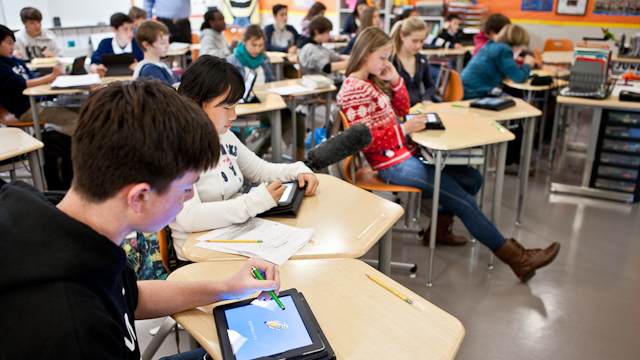
Allowing students to bring their own devices to class can be a cost-effective way to quickly get access to the internet and to the many useful tools those devices carry. But students don’t always get the chance to use their devices, especially in low-income schools.

As we previously reported, a 2013 Pew study revealed that only 35 percent of teachers at the lowest income schools allow their students to look up information on their mobile devices, as compared to 52 percent of teachers at wealthier schools. And while 70 percent of teachers working in high-income areas say their schools do a good job providing resources and support to effectively integrate technology into the classroom, only 50 percent of teachers in low-income areas agree.

But it’s not a lost cause — the disparity can be addressed, according to Michael Mills, assistant professor of teaching and learning at University of Central Arkansas, who trains in-service teachers and works in a seventh-grade classroom. Mills has spoken openly about how race and expectations may be playing into how teachers use devices in the classroom. For him, this is a crucial issue, because without access to powerful tech use in school, kids who come from disadvantaged backgrounds will continue to fall behind.

The bottom line for any teacher: technology works best as an extension of what’s already happening in class. At the recent ISTE conference, Mills outlined some essential ideas for successfully leveraging the power of technology for learning, regardless of a school’s income status.

DEVELOP TRUST

“The kids who ‘have’ are going to keep having and the kids who ‘have-not’ are going to keep being over there,” Mills said. He suggests the best way to build equitable classroom technology use is to create a culture of trust. That takes time, but Mills said teachers need to give students a chance to prove themselves before displaying mistrust. “Instead of automatically saying, ‘I don’t trust you,’ why not create opportunities where you can trust them,” he said.

To do that, Mills recommends developing engaging lessons that use technology in collaborative and creative ways. “We’ve got to make sure the kids are doing the work, but we have to provide them with guidance,” Mills said. The best way to make sure kids are on task is to move about the room and check on their work — one of the oldest classroom management tools around — but effective even in a high-tech classroom. “Instead of relying on tech to be the policeman, cultivate a culture of responsibility,” Mills said. “You can’t fake that.”

Providing guidance on how devices can be used for learning is an essential role for teachers in this era. Despite their facility with the technology itself, kids need direction. “The research says that if you hand kids a device, they aren’t going to inherently use it for an educational purpose,” Mills said. They need a teacher to guide them along that path.

SHOW YOUR WORK

Creating an environment of trust in the classroom extends beyond its walls and into the community. Not only will a transparent classroom make it easier to engage with parents, but it also helps the community come to grips with a different style of education from what they experienced as children. And being transparent about classroom practices opens up the door for more collaboration with colleagues.

If a teacher doesn’t feel what they’re doing in the classroom is strong enough to be seen by others, he or she probably shouldn’t be doing it. “If it’s not good enough for everybody, it’s not good enough for the kids,” Mills said.

[contextly_sidebar id=”M5d333h0dzJz3s1vWoSNNFWRdVzK44E3″]

SET GROUND RULES

Technical issues with devices can be a headache, so setting some ground rules for device management helps mitigate some hiccups. Mills recommends making it clear that it is students’ responsibility to bring their device to school charged and ready to go. Designating a spot on student desks or tables where devices go when they aren’t being used for a specific assignment is also a great way to deter students from succumbing to distraction.

“Instead of relying on tech to be the policeman, cultivate a culture of responsibility.”

BE COMFORTABLE WITH DEVICE DIVERSITY

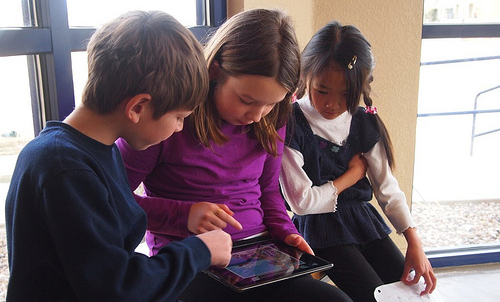
Mills is not bothered by students bringing a variety of types of devices, with varying levels of computing powers. It shouldn’t matter if students are working in groups and sharing their devices. “We need to make sure students have individual tasks asked of them within each group,” Mills said. “The beauty of that is the kids don’t all have to have the same device.”

Mills is a firm believer that a powerful use of devices turns students into producers, not consumers of content. “The most important aspect of teaching is to give students an opportunity to create,” Mills said. Sometimes technology will be the perfect tool for that, but in other cases the wireless may give out, an app will go on the fritz or any number of other obstacles might arise.

In those cases, have a back-up plan so the lesson and its creative energy isn’t lost to the whims of malfunctioning technology. Mills described one project he planned for his class around The Diary of Anne Frank. He wanted students to analyze primary and secondary sources, so he made QR codes to accompany various images relevant to the book. He put so much information into the codes that they didn’t work.

As an alternative, students researched topics on their phones and cut and paste relevant passages to match the images. In the end, the backup plan required more critical thinking and collaboration than the original project and students had a good time doing it.

ALLOW SPACE FOR COLLABORATION

Though many have lauded the benefits of one-to-one device initiatives, Mills isn’t a proponent. “I like a one-to-three [ratio] because it forces kids to collaborate more and the technology gives us an awesome way to facilitate collaboration,” Mills said. “We can’t let that laptop or iPad be the centerpiece of our instruction.”

FAVORITE APPS

Mills is a fan of simple, creative tools that he can use in lots of different ways. He worries that too many apps provide little added-value to the classroom and believes teachers should carefully analyze how and why a new app will be used.

“We really have to think about our instructional objective,” Mills said. “What is it we need our students to do or know? Without that [focus] we become product marketers.” The standard he sets for himself is to ask whether the activity has students creating, synthesizing and analyzing. If it does those three things, it’s probably worthwhile.

Mills also suggests teachers try out new apps on the school network, with a student account before planning a lesson around them. Some apps are blocked, or require too much bandwidth for the wireless. He also says it’s important to read the terms of service for any new product. Tumblr, for example, says it is not appropriate for students under 13 — important information for a seventh grade teacher.

Mills has a go-to list of apps he uses regularly.

  • Infuse Learning: This is a free, formative assessment tool. Teachers can ask students multiple choice or written answer questions to assess how well or poorly they are understanding concepts. The teacher can also hover over a student’s name to see how long he or she took to answer the question. If there are a lot of wrong answers, the teacher knows she probably didn’t teach it well enough the first time and needs to rethink her approach.
  • Padlet: Mills uses this app like a class Twitter account or a poster board. It has both display options, although some devices won’t show the poster view. Students can collaborate on different “notes” and drag in multimedia, images and documents from other places.
  • Google Docs: Aside from the obvious use of Google Docs to collaborate on writing projects, Mills likes the sheer amount of information that can be uploaded onto this platform, allowing kids to work on it at the same time. In a lesson about point of view, Mills started a Google Sheet and gave each student a column. He asked each student to write down the significant words that demonstrated a literary character’s point of view in their column and then took all of them and made a word map with Wordle. This sparked a vibrant discussion about the words that rose to the top. And it was easy to do the exercise again from a different character’s point of view. “The tech gave us an opportunity to have a conversation and to really compare and contrast,” Mills said. While it’s a simple exercise, there wouldn’t have been enough space on a whiteboard and it would have been much more time consuming.
  • Mills used Google Trends to have students analyze who is more popular — Jay Z or Beyonce. “What’s exciting is they start analyzing the graph instead of arguing about what they think they know,” Mills said. The quick Google Trend search got them talking about a topic they love from an academic point of view.
  • Another favorite tool is Instagram, which Mills often integrates into math class by having students photograph and share different shapes around town. In one high school project he even had students snap images of grammatical errors on signs in the community. “When students have to create something and put something out there, they work a lot harder,” Mills said. “If they know their peers are going to see it, they care.” That doesn’t mean teachers should share the results of formative assessment polling all the time. Mills strongly believes that kids have been told too often that they aren’t smart, so being shamed in front of the whole class doesn’t motivate them. Instead, teachers should try to be sensitive to students’ feelings.

Ultimately, Mills sees BYOD as a great way to engage kids through the tools that they use everyday. “My ‘nefarious’ purpose is for kids to see the device in their pocket as a learning device,” he said. And if they learn some ways their phones can help them navigate life beyond Snapchat and selfies, that’s a good thing.


5 Essential Insights About Mobile Learning

Erin Scott/MindShift

Just a few years ago, mobile devices were almost unheard of in classrooms. Over time, teachers and administrators have been experimenting with how to make mobile devices into powerful learning tools, and have come up with some strategies.

A group of administrators from some of the first districts to pioneer Bring Your Own Device (BYOD) policies and other forms of mobile learning are now sharing their experiences with those hustling to get on board. The Consortium of School Networking, a professional group for district leaders, is trying to make that knowledge more widely available through its Mobile Learning Initiative.

“It’s a way to keep up with what are the new burning questions, find out what leading people are doing, give a variety of insights into that particular topic so you can get a little bit of context and understanding,” said Marie Bjerede the initiative’s project director.

The site offers insights into some of the key steps to implementing a strong mobile learning program and provides quick answers to real world problems that busy administrators may have as they roll out their own programs.

1. Set goals and expectations for teaching and learning with mobile devices before worrying about the device itself.

“If this is a device plan and not a learning plan, you are definitely going down a path that could lead to some confusion and failed deployments,” said Michelle Bourgeois, technology coordinator at St. Vrain Valley School District in Colorado, and every administrator echoed this sentiment.

It’s easy to focus a mobile learning initiative on the devices themselves, without realizing that some of the thorniest shifts are in how educators approach the use of technology in the classroom. “The technology is a tool,” said Scott Smith, chief technology officer at Mooresville Graded School District in North Carolina. “The technology gives us exponential potential to do things we haven’t been able to do before. But the focus is on curriculum and instruction.”

Focusing on how mobile devices will change learning — not merely replicate old pedagogy on a digital device — means involving teachers and curriculum specialists in the planning process from the beginning. “The tendency is for the technology people to make the decisions in terms of the technology,” said John Connolly, Director of Technology at Consolidated High School District 230 in Illinois. “I think it’s really important for the curriculum folks and teachers to be involved in choosing what type of device and content, but more importantly the goals and where do we want to go as a group.”

Beginning a new initiative with the support and energy of teachers will also help the program to go more smoothly. Administrators who’ve been through the roll-out process before also recommend a pilot program to help identify problems, areas of professional development that are most needed and to begin developing some best practices to share with a larger group of teachers.

2. Develop a strong community of support for the initiative early and keep up transparent communication with parents and community members throughout the process.

“Long before we handed out the first device, we started a community awareness program in terms of what we were planning to do and why,” Smith said. District representatives held many community meetings where they explained why it would be important for students to come out of school fluent in technology use and with a collaborative set of skills different from what parents were expected to have. By describing a vision for what students would be able to do after leaving school, Smith gradually won over parents.

“Things were a lot different then,” said Tim Clark, Coordinator of Instructional Technology for Forsyth County Schools in Georgia. The iPad hadn’t even been released yet when Forsyth began its program. “Now the parents are expecting it and are actually driving our schools to adopt even more mobile learning because they want students to find instructional purposes for those devices in their pockets.”

The strong vision for how mobile learning can change teaching and learning was the core of the communication between district officials and the community. Getting everyone on board with the ultimate goal helped them deal with the inevitable bumps in rolling out the technology and learning to use it for learning.

3. Think about equity, but don’t let it stop forward motion.

While some districts deal with more poverty than others, equity concerns are part of every school administrator’s job. Many districts that pioneered mobile learning programs did so because they wanted to offer more equal access to the benefits of anytime-anywhere access to knowledge that computers offer.

“When you give every student a device, it levels that playing field, but there are still inequities,” Smith said. His district charges each student a $50 tech fee per year. A local education foundation has agreed to pay for families who can’t afford the fee, but about half of the families eligible for free and reduced price lunch still pay the fee because they recognize its importance for their children, Smith said.

For many districts embracing a 24-7 mobile learning program, the toughest equity challenge is getting every student access to the internet at home. “We’ve been trying to build lots of partnerships,” Bourgeois said. Her district includes both urban and rural areas, each of which have access issues. The district has been mapping resources that already exist, convincing cities to extend their programs if they are offering free internet in downtown business districts, and making sure students and parents know how to save resources for offline use.

“Most of our kids are bringing a device to school, so we’ve just been able to supplement what students bring in with school owned technology,” Clark said. His students go back and forth between school-owned devices and their own, depending on need and in case of battery failure or other technical difficulties. It’s become a very fluid process, he said.

4. Evaluate the effectiveness of a mobile learning initiative based on the goals set at the beginning of the rollout.

It’s easy to use improved test scores as a measure of whether a mobile learning initiative has been successful, but school leaders recommend trying to evaluate the goals set forth in the original vision and to think about evaluation holistically. If one element of a district’s vision is to put more power to direct learning in the hands of students, test scores aren’t the most appropriate measure of that goal.

[contextly_sidebar id=”bbc86d0e49f0b2ed278b2c409f765c1d”]

“Everybody wants to look at test scores because that’s a measurable goal that everyone understands, but there are other things that you can use to evaluate success,” Smith said. His district is in the sixth year of implementation and has found that graduation rates, attendance rates and academic success are all up. Meanwhile discipline issues and dropout rates are down. “Is that all because of technology? Absolutely not, but it is certainly a contributing factor for being able to meet all students where they are,” he said.

It’s also tempting to expect results immediately, but leaders recommended allowing three to four years for educators and parents to grow into the program before expecting to see its value.

5. Some of the biggest lessons learned include giving up control and trusting students.

“A lot of our shifts are making sure we are not mandating any more than we have to and that we’re empowering as much as we can,” Bourgeois said. She found that once devices were in the hands of teachers and students there was far more potential for creativity and student empowerment than district officials had imagined. The district has been working to get out of the way of that generative energy.

“One of the things I would do early is bring the students into the process because I think their insights are pretty powerful and sometimes surprising in the way they think about things,” Bourgeois said. If she could re-do her rollout she would have included students in the discussions long before devices were chosen or in classrooms. They are stakeholders in their own education, but often aren’t included in the decisions that will directly affect their daily instruction.

“Over time you start to really focus in on what students are doing and learning with those devices and then where is the rigor of instruction and where is the authenticity of instructional tasks,” Clark said. He noted that it’s natural for schools to worry about the technical aspects of a rollout, but the novelty of the devices wears off quickly and when it does the whole school community can become even more focused on how to use the devices to offer the best learning opportunities possible.

STAY NIMBLE

While these mobile learning pioneers have seen some of the pitfalls and can help districts new to the game avoid the same stumbles, this space is changing quickly and every community’s needs will be different.

“It’s no longer just something you implement; it’s evolving and it’s unique in each location,” Bjerede said. “If you try to be cookie cutter about it you won’t meet the needs of every kid in every classroom.”

The technology will change, students will surprise their teachers and the best advice to district leaders is to stay open to all the possibilities and allow students to take control of the tremendous learning opportunity that having a device at all times could offer them.

Trends and Predictions for K-12 Classrooms

The evolving role of the teacher as facilitator, and hands-on learning experiences that give students agency over their own education are two major trends already taking root in many schools and classrooms, according to the 2014 NMC Horizon K-12 Horizon report.

Within three to five years, the authors expect to see increasing focus on open education resources, as well as more experimentation with blended learning models that combine time on the computer with face-to-face instruction. In the longer term, the authors see intuitive technologies that interpret human gestures and motions as increasingly important. And, as educators rethink how to meet students’ needs the way school currently works might have to change — everything from the schedule to the space, as well as models of teaching and learning.

This report also highlights the challenges educators face moving forward, and the technology developments that will continue to accelerate these trends.

There are plenty of challenges to effectively implement the tech trends in this report. Educators are already finding creative ways to create authentic learning opportunities by bringing real life into school, and personalized learning, while not the norm, is often seen as the ultimate goal by educators. Longer term challenges include concerns about the privacy of student data and teaching students complex thinking and communication skills that they can use beyond school walls. As the internet changes how people interact with and find information, the biggest challenges will be from new schooling models competing for the same students. Students themselves may no longer see formal school as relevant since the internet has answers to so many of their questions. Those long-term challenges will need to be addressed for these trends to move forward.

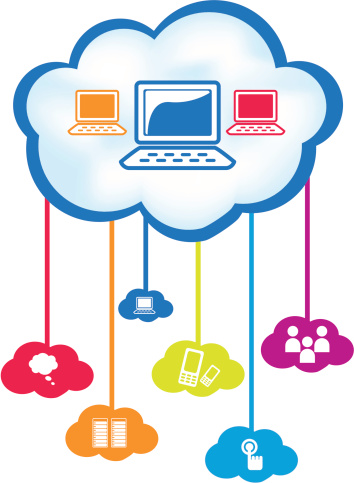
Like last year, the NMC Horizon report authors make predictions about various technology developments and how they will affect educators. This year, the authors expect educators to quickly adopt Bring Your Own Device (BYOD) policies and cloud computing technologies. It will take a little longer for games and gamification to become mainstream, but in three to five years the authors expect more teachers to be using games as teaching tools. Similarly, learning analytics, the data behind each students’ learning is increasingly being used in classrooms. On a longer timeline, the authors find ideas like connecting information from physical objects to online networks through sensors and monitoring devices and wearable technology as potentially important for education.
http://go.nmc.org/2014-k12

How Technology Trends Have Influenced the Classroom

465128421

By Carl Hooker

Between societal changes and technological breakthroughs, it’s become abundantly clear that the human brain is transforming the way it processes and learns information. While there are many discussions about whether or not this is good or bad for us as a society, it’s definitely a change.

As educators, it’s our job to make sure that students (and adults) are learning. Part of that process isn’t only about making an engaging activity or lesson, but also realizing how the modern brain learns. Teachers all over America are faced with this challenge of keeping students engaged in the classroom when their world outside of school is one of constant engagement and stimulation. Knowing the world outside of our institutional walls is only one step in addressing modern learning styles. How to act and adjust schools today is the next step in making the classroom of today ready for tomorrow.

To do that, let’s examine which features of society (and media) have changed and then consider what we can do in education to use it as an advantage for learning.

The Increase of Interactivity

One only need to look at the gaming market to see the evolution of how our brains crave interaction. We went from Backgammon to Atari and realized that with some simple interaction, like a yellow circle eating dots, our brains could stay occupied for hours. The recent shift to touch screen and even motion-based interaction means that we now involve our whole body when interacting with games.

Classroom Outcome: We might notice that our students seem more “antsy,” but in reality, sitting still in a seat for several hours has never been ideal for learning. Research is now becoming more abundant to back that statement. Incorporating regular brain breaks or mini-activities that require kids to move every 15-30 minutes re-invigorate the brain and get them refocused in the tasks at hand.

On-Demand Living

Most of us grew up in an era of either three basic television channels or the privilege of many via paid cable. With the digital era, television and movies have seen an exponential change in how they are distributed and accessed.  You no longer have to wait for that favorite re-run of Moonlighting; today, you can just pull it up on your phone. Better yet, you can pause it on one device and then watch it on another when you choose.  If you really get hooked on a show, why wait a week when you can just binge view it?

Classroom Outcome: Flipped-teaching comes to mind when thinking of the “on-demand” model of learning. Not everyone has the time or energy for a full-fledged flipped-teaching model (not to mention at-home access for all students), but recording some lessons or concepts for later viewing, even in class, would be one way to let students have access to information when they want it. Wouldn’t it be nice if kids wanted to binge learn?

Self-Publishing the World As We See It

They ways we viewed and read the news was previously distributed to us through a filter.  Publisher, editor, advertisers, and corporations decided what we should watch and read when it came to content. In some ways, the classroom has followed a similar path. Look at the world now when it comes to news. We are all publishing to the world around us in blogs, tweets, posts and…yes…even Instagram selfies. Our brains are no longer designed to sit back and take what is given to us. We want to create and share what we see and learn too.

Classroom Outcome:  This is one area where I feel that education has excelled, but there is still room for improvement. We’ve always encouraged students to write and report on what they think or believe. As students, we learned to play the game of “know your audience” when it came to writing a paper for a certain professor. Our purpose was writing for writing’s sake. Now we no longer have to limit ourselves to one recipient. Our students have access to a global audience and don’t have to write just to please one teacher. They can write based on what they see and believe to be true.

Everything is Mobile (and Instant)

As fast as the internet took the world by storm, the mobile revolution dropped a bomb of societal change and practice. People can now have all of their media in the palm of their hand. They can connect with anyone, anywhere. While there isn’t always value to why we use our devices, having that instant access means our brains can now outsource menial facts and focus on application and creation rather than retention.

Classroom Outcome: One of the greatest challenges to the classrooms of today is mobile technology. Do we fund a 1:1 program? Allow a Bring Your Own Device policy? Won’t this just add the distraction of the outside world into a classroom? Rather than avoid or ban the use of mobile devices, some are embracing it as a way to not only engage learners, but also dig deeper into learning. This isn’t without its pitfalls, and can be quite messy, but setting expectations of use can be a powerful way to model how our kids use these in the non-school setting.  Maybe instead of whipping out their phones when at a restaurant, kids will actually sit and have a conversation with the grown-ups around them.  Of course, this is assuming the grown-ups have put down their devices too.

Embracing the Digital Brain

As we can see from these few examples, the world around us is changing.  This change affects the way we think, learn, and connect. In education, we have three options when dealing with these changes: avoid it, struggle with it, or embrace it. Technology would seem to be the panacea for solving all of these issues when it comes to engaging the digital brain. However, while it does have an impact in the classroom, the greatest impact still lies within the teacher and the content that they are trying to get their students to learn.  Until the pedagogy and purpose align with this new world, we are all left fighting a battle rather than embracing it.

Carl Hooker is the Director of Instructional Technology for Eanes ISD in Texas, an Apple Distinguished Educator, an EdTechTeacher consultant/trainer, and founder of iPadpalooza.


For Cash-Strapped Schools, Smart Ways to Spend Limited Tech Dollars

devices

For schools looking to spend limited dollars allocated for technology in smart and efficient ways, lessons learned over years of making tough decisions can be helpful.

Mark Samberg, who has worked in education for 13 years, first as a K-12 tech director and later as a district level technology director, has some sage advice. Samberg is a research associate for the Friday Institute for Educational Innovation, a center at North Carolina State University dedicated to helping figure out what tech solutions work in classrooms and to sharing what its researchers learn with educators. “Schools are making the best decisions they can given the information they have,” Samberg said. “It’s very difficult to stay on top of what’s new and cutting edge when you’ve got a billion other things going on.”

Samberg offers some advice, both big-picture philosophies and detailed strategies, on how to move forward with a technology plan.

EDUCATIONAL SOFTWARE

Technology directors should be careful of software sold as the proposed solution to raising test scores. “If you expect software to raise test scores, that rarely happens,” Samberg said. He advises schools to reach out to other schools of similar size and demographics that are using that software with specific questions.“Canned content is very expensive,” Samberg said. “If you are going to spend that kind of money, you should always be asking what do I want out of this software.”

Samberg has visited schools all over North Carolina and has seen technology used in innovative ways that enable students to show their learning in provocative and creative ways. But he’s also seen schools grasping at technology as a magic way to improve test scores. “If canned content could do what teachers can’t they would have gotten rid of all the teachers by now,” Samberg said. “A good teacher will get you more value than canned content.”

[contextly_sidebar id=”6ed8439af56dd9beda80d6776fb18cd8″]

INTERACTIVE WHITEBOARDS

One of the biggest challenges facing school technologists is the long planning and budgeting cycles on which schools operate. Tech directors are forced to make their best predictions about what kinds of devices and investments they’ll need several years out and could be in the middle of implementing that plan with a fixed budget when a whole new set of devices, software, and pedagogical ideas to accompany them start rolling through.

Interactive whiteboards are a good example of how a long, slow, and expensive rollout can tie a district’s hands when newer, and often less expensive, technologies are released. “When interactive white boards came out 15 or 16 years ago they were really the best way we could change interactions with computers,” Samberg said. “They are very expensive, over $5,000 per unit, and over the past couple of years better ways of interacting with computers have emerged.” But some schools are just coming to the end of a whiteboard rollout and can’t turn around to try something different.

For schools looking to invest now, Samberg has some much less expensive ideas that are modular and can be updated when something breaks or a newer and better version comes out. The functions of an interactive whiteboard can be mimicked with a large screen TV and a Chromecast device, which also allows teachers to use any device available whether it’s a document camera, phone, iPad or other tablet. “You’ve saved money, but you’ve also opened up other ways to interact in the classrooms,” Samberg said. The teacher no longer has to lecture from the front of the room — the technology isn’t hindering the teacher’s practice.

SHORT REPLACEMENT CYCLE OR LONG TERM INVESTMENT

Technology evolves so quickly that it’s impossible to pick the “perfect” set-up for a classroom. That has led some schools to buy cheaper devices with the expectation that they’ll be replaced on a shorter timeline. But that approach can be dangerous. “If you run into a situation where your budget is tight and you can’t replace it, then you start to have problems,” Samberg said. Once devices start failing the whole effort is put in jeopardy.

At the same time, it can be hard for schools to get new money to sustain programs, so many technology directors try to pick something that will last. The trouble with that path is that after dishing out hundreds of thousands of dollars for expensive devices, administrators are less likely to fund the next technology need that comes along. Taking advantage of devices that students already own in conjunction with some school-owned devices — a BYOD policy — could be a good way to maneuver around that problem, Samberg said.

“A lot of schools that go one-to-one have taken desktops out of their classrooms, but there’s an argument for not doing that so you can have a ready plan B,” Samberg said. Students are often most comfortable on their own devices and if something malfunctions they can use the desktop computer or a stock of school-owned devices for the rest of the lesson. Since most teachers are using web-based resources, the type of device becomes less important.

SAVE MONEY WITH OPEN-SOURCE MATERIALS

“My personal opinion is that schools could do more with open source software and avoid some licensing that way,” Samberg said. During his time as technology director, he saved his school $18,000 installing Linux instead of operating systems like Windows or Mac OSX.* Open-source materials often take more up-front person-hours to install and train users, but this way, schools avoid paying licensing fees every year.

Some schools don’t have the in-house technical expertise to use open-source programs, especially if the tech director is also expected to teach. “It would be a hard sell to tell the tech guy who is also teaching three classes a day that now he’s got to do a rollout with Linux,” Samberg said.

INVEST IN WIRELESS

“You have to have adequate wireless,” Samberg said. “This is where it’s about spending more money and not less. It’s a tough argument to make and it’s the kind of thing no one thinks about until it fails.” Samberg has personal experience underestimating how many wireless hotspots a school needed. But once there are 30 or more devices using one hot spot it slows to a crawl. He thinks if a school has a BYOD policy, or a one-to-one every program, each classroom should have its own hot spot. Depending on the size and layout of the school that could cost about $40,000 per school.

With managed wireless services available through the cloud, Samberg sees an opportunity to provide a stable wireless network without continually returning to the district asking for more money. Using a cloud service that manages the wireless instead of an expensive in-house controller allows the school to make wireless costs an on-going expense. “Any time a school can turn a cost into a recurring cost is great because it’s just the price of doing business,” Samberg said.

PEERING INTO THE FUTURE

There’s no one great salve for school or district technology directors to choose the best investment. “Before making any purchases, evaluate what you have and plan as many years out as is feasible,” Samberg said. “You don’t know what tech is going to look like, but be very strategic about your purchases and what devices you’ll need.” That includes looking at what’s coming out in the consumer market that could be used in classrooms. Samberg encourages technologists to think creatively about solutions that could be adapted for the classroom and not to automatically buy solutions offered up by companies pitching schools with their products.

The other important piece of the puzzle is to involve everyone in the decision-making process. Consider the needs of teachers and students as well as the safety and support concerns of administrators and let all those data points guide technology choices. “No one person should be making all the decisions,” Samberg said.

 – A previous version of this post had an incorrect reference to Word and Microsoft Office.

Think Big: How to Jumpstart Tech Use In Low-Income Schools

cellphone1-620x344

The challenges of rural schools are many of the same (though not all) that low-income public schools face across the country: inadequate access to technology and broadband, tight budgets, and educators who have not been trained in using technology in meaningful ways.

But these hurdles did not deter Daisy Dyer Duerr, Prek-12 Principal of St. Paul Public Schools in St. Paul, Arkansas.

“Every child deserves an amazing education no matter who they are, no matter where they come from,” said Duerr, who was recently named National Digital Principal. She’s been working hard to bring new devices and related pedagogy around technology use to teachers. “If you don’t have relationships you can have every bit of tech in the world and it won’t matter,” Duerr said.

Here’s how Duerr brought new ideas and devices to her 225 students and started to transform student attitudes about their futures and teacher attitudes about what a rural public education can offer.

1. JUST START

“It’s not about what you have, it’s about being awesome,” Duerr said. When Duerr started at St. Paul Schools three years ago, the school culture did not encourage risk taking. The technology available to teachers was limited to a few smartboards, two computer labs with shared PC desktops and a laptop cart with 10 MacBooks still in their boxes. Technology wasn’t part of the school culture and teachers hadn’t been trained on anything. Duerr started out by training them with the tools she had available and started writing grants to raise the money for more updated technology.

2. DEVELOP A SHARED VISION

Duerr worked alongside her teachers to create a shared vision of using technology to enhance classroom instruction, provide learning opportunities that wouldn’t otherwise be available to students and to deepen student-teacher relationships. “They had to have ownership of that learning and they had to share with each other,” Duerr said. “Sometimes as educators we aren’t the best sharers.”

Together the teaching staff came up with ideas about how to bring technology into the classroom and set a goal of using tech support once a week in class. They documented the use and how it improved learning. Teachers asked Duerr to hold them accountable to those goals as she visited and observed classrooms.

[contextly_sidebar id=”42d98ae44c0d1eb22746131649286df8″]

One teacher set the goal of using technology to engage students more meaningfully with key vocabulary. She used Educreations to have students draw and create word connections. That activity has become a weekly fixture in her classroom.

Another teacher — prone to lecturing at the front of the room — wanted to try and give up control. She planned one day a week for students to design the lesson themselves or gave them project work. She could have let go sooner, but technology gave her the impetus and willingness to try it out, said Duerr.

3. WRITE GRANTS

“Not everyone can be a one-to-one school, but that’s not what it has to be for you to do amazing things with kids,” Duerr said. She’s been aiming for a one-to-three ratio and has gradually applied for grants to bring more devices and better broadband access to her school. Her fundraising has paid off. She was able to give all her teachers iPads in June and after one professional development day to learn the basics, sent them home for the summer to experiment. “I just said, ‘Come back in August and be on fire with using this technology to teach,’” Duerr said. She also fundraised for two laptop carts to offer more opportunities for teachers to engage with the tactics they were excited to try.

4. TAKE ADVANTAGE OF BYOD

Between 80 and 88 percent of St. Paul Schools students receive free or reduced lunch (the range reflects different accounting for elementary and high school students). Still, a poll of students showed that three quarters of 7-12th graders had mobile phones and half of those were smartphones.

“They are connected, socio-economic barriers be darned,” Duerr said. “People are connected and we don’t need to cut off our nose to spite our face. We need to use what we have.” She’s adamant that letting students bring their own devices to school gives them a chance to have a global education that the meager resources of the school wouldn’t otherwise be able to supply to everyone. Some students at the school have never left the county, let alone the state, and online access has allowed them to go on virtual field trips, talk to classrooms in vastly different places and explore what makes them curious. It has expanded their experience of what the world can offer.

5. CONSIDER HOTSPOTS

When families in the Huntsville School District were surveyed in 2012, only 10 percent of students had access to the internet at home, a function of high poverty and geography. After getting basic technology into schools, Duerr is turning her attention to mobile hotspots for students so that they can use devices at home.

6. INVEST IN PROFESSIONAL DEVELOPMENT

“You can’t just throw it up out there and expect it to work,” Duerr said. “Having tech and using it successfully are two very different things.” She spends a lot of time discussing the benefits and drawbacks with her teachers, giving them training, freeing them up to help one another implement in the classroom and creating safe places to talk about what works and what doesn’t so her teachers learn from one another.

Technology has become a motivator and a tool for empowerment at St. Paul Schools. “I believe bringing in this technology was a huge boost to the self-worth of our school and community,” Duerr wrote in an email. It has galvanized teachers to become leaders, to show one another tips and to take pride in the school.

7. TRY SOMETHING NEW

For one hour every week, fourth-through-twelfth graders at St. Paul get to work on a passion project. It’s called Genius Hour, an idea that is taking root across the country on the heels of research about passion-based learning and the Maker Movement. Participation in Genius Hour is based on attendance and good behavior and kids look forward to it all week, Duerr said.

Since Genius Hour started, absences at the school are down 25 percent and Duerr sees a third fewer students for disciplinary action. Students are working on projects that include gourmet cooking, blogging, learning guitar, even tracking monarch butterflies around the world. The project has also brought community members into the school to volunteer, helping to create a vibrant school community.

Tackling the Digital Divide: Low-Income Students Weigh In

384589883_b9a0affde4_z

The article For Low Income Kids, Access to Devices Could Be the Equalizer raised the possibility that mobile technology in classrooms could help narrow the digital divide between the nation’s low-income and more affluent students. The article, which included suggestions for educators about how to access devices and what do with them, struck a chord with readers. Many were outraged that some students are missing out on valuable learning resources because of their families’ socio-economic status, while others worried that bringing mobile devices into the classroom – any classroom – invites chaos.

“The internet is the modern day encyclopedia,” wrote commenter Patrick Hopkins, who grew up in a single-parent low-income household, and now teaches in an upper-middle class school district. Hopkins’ students are allowed to use their mobile devices in school after registering them with the administration, opening up opportunities for students to direct their own learning and take advantage of the internet’s vast trove of information. Hopkins noted many schools don’t have those same advantages, like his alma mater.

“Attending school in a dilapidated building with poor heating, and non-existent cooling systems, coupled with broken windows that were replaced with sheet metal, instead of glass, weighed heavy on a student’s psychic,” he wrote. “Student learning and teacher morale take heavy tolls in these types of environments. Without adequate learning resources and safe and secure learning environments low income student cannot compete in today’s society.” Hopkins points that schools can’t even meet these basic infrastructure needs, let alone student access to technology resources.

Many readers commented that all students should be given access to the internet and the devices that supply them, but fewer accepted the assertion made by Michael Mills, a professor of Teaching and Learning at the University of Central Arkansas, that race plays a role in whether teachers trust students to use devices responsibly.

“[The article] stated that schools do not allow students of color to use their mobile devices because they think they will not use them in appropriate ways. I do not believe this is true at all,” wrote Amanda Phillips. “I think it is our job as teachers to set the ground rules and expectations of using these types of devices in class before they are even allowed to bring them. Each student should get an equal chance to bring and use their device in class; race should have nothing to do with it.”

Phillips’ comment was echoed by several readers who agreed that the bigger issue is how to set a structure for kids to use their own devices appropriately.

“It doesn’t matter where a child comes from, there are issues beyond being able to have kids have access to devices,” wrote Allie Kohl. “Implementing devices into the school throws a lot of red flags and makes it hard for teachers to really ensure that students are being productive and honest with the stuff they are getting accomplished on the devices at hand.”

Despite the concerns raised about how students would use mobile technology in the classroom, most commenters, whether teachers or interested readers, felt students should have access to devices in school. If students don’t own those devices, many felt the school should find ways to provide them.

TRUSTING STUDENTS

For some readers, it comes back to the issue of trust.

“I like how the point about trusting the students was brought up,” wrote Olivia Richard. “I find this extremely important when talking about BYOD [Bring Your Own Device]. Teachers must have an abundant amount of trust in their students that they are staying on task when using their own devices in the classroom.” And, to some extent, building that trust takes a leap of faith. No teacher will know if mobile technology could work in his classroom if he doesn’t start from the assumption that it might and take a leap of faith.

Some of the article’s suggestions for narrowing the digital divide struck a chord with Amanda Williams, who grew up with limited access to computers and the internet while in high school, making it challenging for her to finish assignments. She agrees that teachers need to show discretion when talking about the kids who don’t have access to devices so they don’t accidentally embarrass students. In her experience grouping students together to maximize devices in the classroom would be a great idea.

[RELATED: Internet Access for All: A New Program Targets Low-Income Students]

“Overall it is important to value all students — technology or no technology,” Williams wrote. “It is a great resource but should never be required to use in the classroom unless the school is providing the tools.”

Commenter Trevor Cline also had few resources as a student. “I grew up in a school where we did not use technology very much and this made me be behind somewhat once I got to college,” he wrote. “Once I got to college almost everything was done through technology and I was learning as we went with a lot of the technology programs.” Cline’s comment points to the need to prepare students not only to get to college, but to be able to keep up once there.

At this point, computers are required to complete assignments in the upper grades, but many schools aren’t all able to provide devices for every student. That makes it difficult for teachers who’d like to take advantage of the independent and self-directed learning opportunities that technology can offer. As Hopkins noted, it might be common in a more affluent public school, but impossible to contemplate in many lower-income schools that are still grappling with finding resources for basic needs. Getting to a point where teachers trust students enough to let them use whatever devices they do have, and creatively managing and grouping their use could be a starting point to get past the inequalities.

Teach Kids To Be Their Own Internet Filters

filters300
 ” credit=”flickingerbrad/Flickr

It’s becoming less and less effective to block students from websites. When Los Angeles Unified rolled out its one-to-one iPad program, administrators expected to be able to control how students used them both in school and at home. But, not surprisingly, kids are resourceful and students quickly found ways around the security, prompting the district to require students to turn over the devices.

Students live in an information-saturated world. Rather than shielding them from the digital world, many agree the most effective way to keep them safe and using the internet responsibly as a learning tool is to teach them how to be their own filters. That’s not only a life skill, but one that’s important when researching. Older kids, especially, have the capacity to learn how to decide which online sources can be trusted and why.

A key to making sure good practices stick is to teach research skills when kids need them. “If it’s not embedded with instruction it will have no relevance to the learner,” said Michelle Luhtala, Library Department Chair at New Canaan High School in Connecticut during an edWeb webinar (who also leads Banned Website Awareness Day). She doesn’t swoop into a sophomore history class and guest lecture on how to research on the web. “If it’s taught separately, in isolation from the content, I don’t think the kids are going to take the learning seriously,” Luhtala said.

[RELATED READING: Building Good Search Skills: What Students Need to Know]

While they’re learning to be good researchers, students will also be solidifying key Common Core competencies, like the ability to integrate knowledge, identify truthful reasoning, and use evidence to make a point.

“If we are not teaching the kids to use the web as a vehicle for enhancing learning and teaching them to be the filter, that’s a dereliction of duty,” Luhtala said. One good way to put students through a meaningful, rigorous experience of analyzing source validity is with an annotated bibliography. Students have to not only summarize the source’s importance, but also evaluate its validity. Here are some data points Luhtala teaches students to identify.

  • Identifying features: maps, graphs, documents, reprints etc.
  • Scope: Is the source broad like an encyclopedia entry or does it go deeply into a subject? When researching, start broad and narrow along the way.
  • Sources: Does the article references where the information came from?
  • Reliable: What’s a legitimate news source? Look for clues in layout, author biography, labels on the page that would indicate if it’s opinion or reported work.
  • Currency: How recent is the work? Does that date matter for the purposes of the project?
  • Comparison: Can the information be compared to other sources?
  • Authority: Is the author really an expert? What clues from their bio would indicate if the author has a specific bias? Did he or she get paid to write the article? That can be a good indicator of bias.
  • Audience: Discern who the article is written for and that will help determine its purpose and perhaps its bias.
  • Viewpoint: Different viewpoints have varying degrees of validity. There are times when one viewpoint should perhaps be given more weight than another.
  • Purpose: Was it written to promote something?
  • Conclusion: What conclusions did the author draw?
  • Relevance: Is the source relevant to the research needs?

Additionally, Luhtala pushes her students to think carefully about the layout of various websites, especially news sources. Sometimes it can be hard to determine if an article is a book review, op-ed, reported article or even something self-promotional. “You cannot just accept an article at face value without clicking to figure out who wrote the article,” Luhtala said. She pushes students to identify whether a given text is anecdote, fact, opinion or research and asks them to pay attention to the language to determine whether something leans towards conservative or liberal views.

New Canaan High School allows students to use sites like Facebook, YouTube and Twitter. Student mobile devices are also considered learning tools. That works because of a culture of trust and responsibility the school has developed. Freshmen watch a welcome video on their first day with the message “We Trust You.”

[youtube http://www.youtube.com/watch?v=yIZ48MQIp48]

Freshmen also kick off their first year of high school with a rigorous, self-directed, collaborative research boot camp project. The project includes 101 steps to develop good research habits at the beginning of their high school career. “It’s a baseline review for them and it helps me know what they know and they don’t know,” Luhtala said. The library also has its own Google Voice phone number that students can text or call with questions at any time of the day. “I’ve never ever had an inappropriate text,” she said, noting that the school has more than 1,300 kids. “It’s a message that learning does not stop after 3pm.”

Luhtala also uses data strategically to make sure the messages about researching are hitting home. She uses an online version of the Currency, Relevance, Authority, Accuracy, and Purpose (CRAAP) test to quickly evaluate all the high school students. She sets up a QR code that goes to the test, students fill it out on their phones in five to 10 minutes, and she has a complete record of what students understand well and what she needs to re-teach.

“If you set the expectations really high it’s amazing what they can generate,” Luhtala said.

Are Schools Meeting Their Technology Goals?

stack-o-tech

The best way to find out how technology is being used in classrooms and where schools could use more support is to ask educators. That’s the goal of the annual Software and Information Industry Association’s (SIIA) 2013 Vision K-20 survey. The association reached out to educators around the country through partner organizations, asking them to complete a mostly quantitative survey with a few open-ended questions included. This year more than 1,400 educators responded from all over the country. The responses were evenly distributed between educators at K-12 and post-secondary institutions.

“We had a good cross section of educators because we had so many diverse partners,” said Lindsay Harmon, education market and policy analyst for SIIA. Some members are actively focused on technology in education, like the International Society of Technology in Education (ISTE), but others like Today’s Catholic Teacher Magazine helped SIIA reach educators who might not already be members of technology organizations.

The Vision K-20 survey asks educators about five benchmarks used to determine if technology is being used to help all learners achieve in a connected and digital world. The survey includes:

  1. Using 21st century learning tools for teaching and learning
  2. Providing anytime/anywhere educational access.
  3. Using technology to close the achievement gap
  4. Using technology-based assessment tools
  5. Enabling enterprise through technology (the systems that run a school)

The point of the survey is to provide a snapshot of how educators currently use technology and give educators a way to benchmark progress. Those who participate each year track how quickly their institution is meeting its technology implementation goals. To this end, the survey has begun including a question about the gap between current and ideal implementation.

Technology implementation data has stayed steady over the past three years. Twenty percent of K-12 school educators report that their schools are integrating technology at a high level and 30 percent of post-secondary educators report the same. Three-quarters of responders in both groups said technology is highly important, and they also have high expectations for their ideal level of integration. This is consistent with past years.

Educators also report that schools are integrating technology at the highest level when it comes to security, bandwidth and creating website portals for the community to access online content. These are the same areas that have been most integrated in the past several surveys.

Educators also report using bandwidth for instructional purposes and assessment more often. In the post-secondary market, online tutoring has increased most significantly. The SIIA researchers don’t find any of this too surprising. “One of the things we think is happening is that as schools have had difficult economic times and the bar for tech integration continues to get higher and higher, they’ve kept up,” said Susan Meell of MMS Education who helped conduct the survey.

In other words, schools didn’t fall too far behind during the recession, but they aren’t integrating technology at the level they’d like. One of the biggest growths is with Bring Your Own Device policies, which schools have begun to adopt in large numbers.

[RELATED: Closing the Gap Between Educators and Entrepreneurs]

Almost half of all secondary schools allow students to bring their own devices now and 60 percent anticipate they will allow devices within one year. In elementary schools the integration of BYOD is much lower — only 20 percent of schools allow devices now. Still, even in the younger age group, educators predict that within five years 70 percent will allow devices. Most schools that have BYOD policies restrict access to sites deemed non-educational like Facebook, Twitter, games and music. In secondary schools more than 80 percent have restrictions and in elementary school 79 percent restrict use to strictly educational purposes.

“Interestingly they said the teacher has total discretion over how it’s used in the classroom,” Meell said. “Teachers could take over device if used improperly.” This data shows that schools are eager to leverage students’ personal devices in the classroom, but are still struggling with the best way to balance instructional use against potential distractions.

While the Vision K-20 survey mostly focuses on getting a numerical snapshot of technology integration, it does ask a few open-ended questions that help reveal how teachers feel about technology integration. Answers range from excitement about new tools and progress to frustration at how few people understand or care about education technology. Teachers also expressed frustration over leadership changes that affect support for technology initiatives, as well as a lack of time to learn how to best use new tools.

“My sense is that most educators feel like they’d like to use tools to deepen learning experiences,” SIIA Vice President Karen Billings said. “They constantly feel that the tech is moving faster than they can keep up. It’s one thing to learn how to use a new piece of tech and another to really know how to use it for classroom needs.”

How Leadership Can Make or Break Classroom Innovation

153681911 (1)

The leaders of a school or school district play a big role in setting the culture and work environment for teachers. And when it comes to trying new things, the attitude of principals and superintendents can sometimes make or break a teacher’s willingness and ability to weave new ideas and methods into the teaching practice. In most schools, strong, effective leaders can make all the difference.

LEADING FROM THE TOP

In addition to setting the tone for nimble and progressive teaching that’s geared towards what students need most, school leaders can also find ways to integrate technology in smart ways that work on the same goals. And they can help to remove roadblocks when necessary.

“A key leadership role is to try to build a shared vision for blended learning,” said Eric Williams, Superintendent York County School Division in Virginia. One way he does that is by celebrating effective practices publicly. Principals are encouraged to share what’s working at their schools with their district colleagues. Williams also likes to highlight good teaching at school board meetings, all with the goal of building a shared idea of what everyone is working towards.

Williams also tries to model blended learning for his staff, to help them get acclimated to an idea that didn’t exist throughout most of their careers. “We have professional development activities that could be categorized as blended learning,” Williams said. In addition to face-to-face time, every week teachers can participate in an optional professional development session through Collaborize Classroom. Similarly, when Williams needed to give principals an update on the budget, he didn’t call a meeting that would require each principal to spend half a day getting to and from the central office — he held a video conference.

But the most important thing Williams does as a forward-thinking superintendent is to support principal and teacher innovation. Rather than saying no when an idea conflicts with district policy, he works to change the policy. He’s found that working that way removes most of the barriers people cite as obstacles to fully integrating technology into classrooms.

Williams has worked to set policies that allow for new approaches. Websites like YouTube, Facebook and other social media are no longer blocked in the district and the middle and high schools have been had a Bring Your Own Device policy for years.

“It’s a student-driven perspective,” Williams said. “We put students behind the wheel with our guidance, recognizing they will make mistakes, but we’ll be there to get them back on track.” Letting students direct their own learning is at the heart of many policies Williams endorses. He knows that some kids will use their devices for non-academic purposes, or will check Facebook, but the benefits of allowing those tools in the classroom outweigh the few bad actors.

[RELATED: Parents Want Kids to Use Mobile Devices in Schools]

That’s his approach to everything in the technology space. If there are permission issues with sharing student work online, he works to change the policy, believing that a global audience for student work is engaging. And he’s been strategic about how to spend limited public funds. The York County Schools Division has decided it doesn’t have enough money to invest in devices for each student; it invests in infrastructure, like adequate bandwidth, and in-school devices instead.

York County schools didn’t implement these changes all at once; they moved slowly and ushered teachers, parents, and students along with them. Some teachers had concerns about the relaxed rules.

“It’s very practical legitimate concerns that come from the classroom level,” Williams said. “A teacher may say that if we let students bring cell phones to school they’re going to use it to cheat or bully one another.” Williams’ response? Kids are going to bring devices whether they are allowed to or not, and if it’s allowed teachers can guide them. Classroom management problems are always going to exist, so let’s not blame that on the devices, he said.

Williams has also been sure to provide a lot of professional development around technology so that teachers feel comfortable using the unfamiliar tools. The district also created a private cloud-based network for staff and students to access from both home and school. “This is huge because it really is an example of breaking down barriers of space and time to access learning,” Williams said.

STUCK IN THE MIDDLE

The most influential leader in any single school is the principal, but that person often gets caught between higher level policies and the needs of his or her school. To be a strong supporter of blended learning practices in the classroom, a strong principal has to be willing to take criticism from superiors.

“I get why people wouldn’t do it,” said Chrystina Russell, principal of Global Tech Preparatory a New York City iZone school. “You have to take a lot of heat.” New York’s iZone is a part of the Department of Education that supports innovative teaching practices. The iZone helps fund some initiatives and provides a space for teachers throughout the city to share best practices and lessons learned. It would be easy to assume that iZone schools are free to innovate — after all, that’s why the office exists.


“Being an iZone principal is like living in two different worlds,” Russell said. On the one hand she and her staff are trying different strategies to reach their high needs students. One the other hand, she grapples with district rules requiring high-stakes testing and annual reviews based on strict criteria that don’t take into account what it’s like to be a school experimenting with new practices.

“The most challenging, but sometimes most empowering part of [being] principal is really that mezzo-level where all the higher up stuff is going to collide on the ground,” Russell said. She’s trying to create an environment where teachers feel they can try new things and even fail, as long as they report out what worked and what didn’t. She doesn’t let money stand in the way of good ideas; she organizes fundraising instead. Keeping the pressure she feels away from the teachers is where she feels squeezed.

“I try not to transfer that top down test-intensive energy to the teachers, and instead make the teachers feel like they can take risks and offer them support,” Russell said. But that doesn’t help her when New York’s Department of Education sends a reviewer to the school. That person has a checklist of things that the school is supposed to be doing well, but he may or may not have any understanding of the iZone or that innovation can take time to implement well.

[RELATED: New York City Schools’ Experiment in Blended Learning]

Russell is clearly frustrated with the rigidity of the review process. “You can’t do everything traditionally well and innovate well at the same time,” she said. “The quality review can penalize schools for not having traditional indicators.” For example, Global Tech Prep worked with a consultant from Teaching Matters to try out and vet English Language Arts software and teaching approaches. In their annual review, they were criticized for not having enough in-house expertise. Russell believes her school is on the cutting edge of figuring out what works and what doesn’t, an on-going, iterative process that is necessarily collaborative since it’s so new. In one instance, she said, her reviewer said the DOE gave explicit instructions not to give value to iZone innovations on the evaluations.

“There’s an office of innovation, but that doesn’t mean that the rest of the system is aware of it, nor does it mean that they honor it,” Russell said. She feels that ultimately the disjointed approach hurts teachers and students. “When you are doing this work with teachers, for everything you put on their plate you need to take something off.”

Russell says it’s her job to bring the fun back to teaching for her staff, not to pile on more responsibilities.

“Giving teachers more control over what they do makes them want to come to work,” she said. And she’s found that the middle school students she works with respond to working with tech, although she’s clear that the technology is one more tool, not a substitute for good teaching.

[RELATED READING: What’s Worth Investing In? How to Decide What Technology You Need]

Ultimately, Russell is clear that her school needs time to see which innovations really work. She’s skeptical of fad initiatives that never have time to take root. “We don’t know if innovation works, but we know that the traditional ways of schooling are not working for our kids,” Russell said. “If we know that doesn’t work, then there’s really no other option if we are really thinking about the kids.”

Her job as principal, she says, is to be the connector. She provides cover to her teachers so they can practice their craft most of the year, then six weeks before the standardized tests they start prepping. Russell said she has to make sure the school meets traditional standards of measurement so it can stay open, while ensuring that real learning is also taking place. “You have to embrace being the rebel for the sake of kids and know that if you get push back you are doing something that makes change,” she said.

IN THE CLASSROOM

Teachers are often the first adopters of technology and the most eager innovators. Most teachers are looking for ways to connect students with content, anything to help them “get it.” But without support from school and district leaders it can be hard for a creative teacher to find resources or share what he’s learned.


Ananth Pai was at the cutting edge of using technology and especially games for learning in his classroom. “There wasn’t even the word gamification, yet,” Pai said. “I was just doing stuff that worked.” Pai raised money to buy computers and hand held games for his classroom after his principal refused to let him use funds meant for a smartboard that he didn’t want. “All of a sudden the engagement was just night and day, so I thought, there’s something here,” Pai said. He found he had more time to focus on conceptual ideas and he could clear up misperceptions in the moment as he moved around the classroom checking on his student’s work. And his student’s test scores improved.

Instead of leveraging Pai’s success, his superiors tried to ignore him and occasionally reprimanded him by reminding him to stick to school board approved curriculum. “As it is our job is a lonely one, but if my professional practice is so different from my colleagues there isn’t that much that I can share with them,” Pai said. “I miss having colleagues who are practicing this because I don’t have anyone to bounce ideas off. My practice would get better if I had more people to collaborate with.”

[RELATED READING: Money, Time and Tactics: Can Games Be Effective in Schools?]

While his district hasn’t shut him down, they haven’t been supportive with resources or support. And that has embittered Pai. “This business is so stuck with calcified brains,” Pai said. Before becoming a teacher Pai worked in the corporate world of desktop publishing. He’s used to either innovating or getting passed over. “I come from having survived the business world in India, Singapore and the U.S. and if you didn’t do stuff that advances the company, you are fired,” he said.

Now, Pai has washed his hands of the system. He doesn’t try to get money for instructional technology anymore and he’s upset there’s no way for him to give feedback to his superiors. Pai is an example of what can happen to innovative teachers struggling alone in the classroom without institutional support. Rather than applauding his initiative, his results and his commitment to his students, his superiors ignored him and they may soon lose him altogether.

Parents Want Kids to Use Mobile Devices in Schools

6497720753_fbaea0598e_z

Smartphones, tablets, and other mobile devices have gained popularity as educational tools in part because of the belief those devices could cut across the digital divide created by socioeconomic boundaries.

Now a new study reinforces that perspective, finding that students’ access to mobile devices, in this country anyway, is more often a question of parents’ attitudes toward mobile learning than a family’s income or the mobile device provisions of that family’s local school district.

The report published by Grunwald Associates and the Learning First Alliance with support from AT&T, found that, according to data from a representative nationwide sample of nearly 2,400 parents, more than four in five K-12 students at least occasionally use some sort of computing device, including mobile devices like tablets or smartphones, or laptop computers.

Further, although there was some association between parent income and the 18 percent of students who don’t use devices at home, more than half of those non-using students were found to live in houses where parents own at least one such device, often a smartphone.

The cause of non-use in those cases is “some other reason that probably revolves around the attitudes of parents and, by extension, the students toward the smartphone,” said Peter Grunwald, the president and founder of Grunwald Associates, a research firm based in Bethesda, Md., known for its work on ed-tech related projects. “The ubiquity of mobile technology in everyday life I think comes through loud and clear in this study. Families own multiple devices, even families that are not well off.”

Income did affect the number of computing devices per household, however. Overall, the study found families with an income of under $25,000 were found to own an average of 3.3 devices per household, a figure that includes desktop and laptop computers, tablets, and smartphones and Continue reading Parents Want Kids to Use Mobile Devices in Schools

Finding Solutions for Tech Troubles In Schools

112806574

With the onset of the Common Core State Standards, which teachers are expected to implement next year, and the growth of blended learning, the role of digital resources both for instruction and assessment has come under close scrutiny. The quickly shifting landscape is leaving many Internet Technology directors worrying that they won’t be able to meet the demand for fast and reliable Internet service.

The Consortium for School Networking‘s (CoSN) recently surveyed IT leaders and found their top three priorities are Bring Your Own Device (BYOD) policies, assessment readiness, and broadband access. All of these priorities hinge upon one thing – lots of bandwidth.

Recognizing the substantial challenge facing many school districts, CoSN has launched the Designing Education Network (DEN) initiative to compile best practices for how to quickly and carefully build up IT infrastructure.

“One of the reasons we want to identify best practices and vendor neutral resources is because districts don’t have resources to hire consultants for research and development,” said Denise Atkinson-Shorey, project director for DEN. In fact, 80 percent of school districts predict they will have flat or declining IT budgets for the next school year. Continue reading Finding Solutions for Tech Troubles In Schools

For Low-Income Kids, Access to Devices Could Be the Equalizer

dv1992005

No device should ever be hailed as the silver bullet in “saving” education — nor should it be completely shunned — but when it comes to the possibility of bridging the digital divide between low-income and high-income students, devices may play a pivotal role.

Access to the Internet connects kids to all kinds of information — and for low-income students especially, that access has the power to change their social structure by allowing them to become empowered and engaged, said Michael Mills, a professor of Teaching and Learning at the University of Central Arkansas during a SXSWEdu session last week.

“For minorities and for low-income students who have these devices, it might be their only way to access the Internet, to get information about their own health, access to social media,” he said. “And they’re using that as the agent to change their social structure.”

Yet it’s those very students who are deprived of the right to use their own devices in schools, according to a recent Pew report showing that access to devices is noticeably different between higher and lower income schools: 52% of teachers of upper and upper-middle income students say their students use cell phones to look up information in class, compared with 35% of teachers of the lowest income students. And when it comes to blocking sites, 49% of teachers of students living in low-income households say their school’s use of Internet filters has a major impact on their teaching, compared with 24% of those who teach better off students who say that. In the same vein, 33% of teachers of lower income students say their school’s rules about classroom cell phone use by students have a major impact on their teaching, compared with 15% of those who teach students from the highest income households.

Why is this the case? It all comes down to expectations, Mills said, that could also be related to blatant racism.

“We have some significant issues with race relations, and the core of what it comes down to is that Continue reading For Low-Income Kids, Access to Devices Could Be the Equalizer

Money, Time, and Tactics: Can Games Be Effective in Schools?

6660073135_a315ee4b17

If it’s true that 97 percent of teens in the U.S. are playing digital games, then the focus on how games can fit into the shifting education system becomes that much more important. Schools, districts, and individual educators are trying to figure out how games and learning can fit into the current complicated landscape.

The newly released report Games for a Digital Age: K-12 Market Map and Investment Analysis, released by the Joan Ganz Cooney Center and the Games and Learning Publishing Council, describes the many different criteria in play in detail, including obstacles from the policy standpoint, lack of teacher development, as well as how the Bring Your Own Device movement is influencing the push towards games and learning.

“Games are more popular than ever with youth today with many students spending hours a day playing them,” said Michael H. Levine, executive director of the Joan Ganz Cooney Center. “What we don’t know yet is whether and how they can be a key ally in driving pathways to academic success.”

Though it’s well worth reading the report in its entirety, below are excerpts pulled from the report, conducted and written by Dr. John Richards, Leslie Stebbins and Dr. Kurt Moellering.

ON FINDING WAYS TO USE GAMES WITHIN CLASS TIMES

The school day is divided into class periods, and this division limits lesson length. Furthermore, the combination of standards and the scope and sequence tied to core curriculum create “coverage” requirements that place practical limits on the number of lessons that can be devoted to a single topic.

Nearly all games fall clearly along a continuum ranging from short-form to long-form with a critical distinction and a bi-modal distribution pattern based on fitting in a class period. As noted by Rob Lippincott, Sr. Vice President of Education, PBS, “Games don’t fit the time box of a class period; a game succeeds when it is sticky and gobbles up more time. You want games in school to finish quickly and speed up learning.” (CS4Ed interview, April 2012).

We placed games into these two time-based categories, short-form and long-form. Within these broad areas fall dozens of different kinds of games, ranging from three-minute apps to open, immersive Multi-User Virtual Environments (MUVEs) that involve lengthy game playing. In addition to the length of play, the mechanics of a gaming experience varies broadly, with simple “add-on” gamification-type reward systems falling typically at the short end of the time continuum, and more complex, multiple-path, role playing games falling at the long end. In longer-form games, the game mechanics are typically intrinsic to the learning experience rather than placed at the end of or external to the game play itself.

1. Short-Form Learning Games

In most K-12 schools the day is organized in blocks of time that average 40 minutes or less. Transition time and time for instruction or discussion connected to curricular material frequently leaves only 20 to 30 minutes for actually using a learning game. Short-form games are interactive Continue reading Money, Time, and Tactics: Can Games Be Effective in Schools?