The Struggles and Realities of Student-Driven Learning and BYOD

Jane Mount/MindShift

If the promise of mobile technology in classrooms has been to equalize opportunities for all students through access to the internet, that potential has yet to be realized.

National surveys consistently show that students in low-income schools are getting short-changed when it comes to using technology in school. A 2013 Pew study revealed that only 35 percent of teachers at the lowest income schools allow their students to look up information on their mobile devices, as compared to 52 percent of teachers at wealthier schools. And while 70 percent of teachers working in high income areas say their schools do a good job providing resources and support to effectively integrate technology into the classroom, only 50 percent of teachers in low-income areas agree.

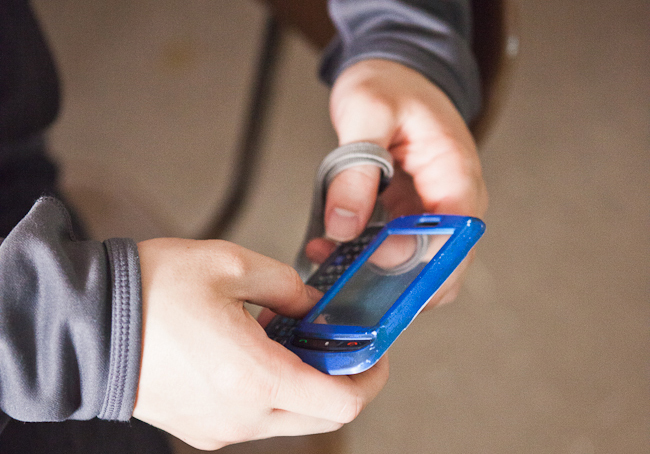
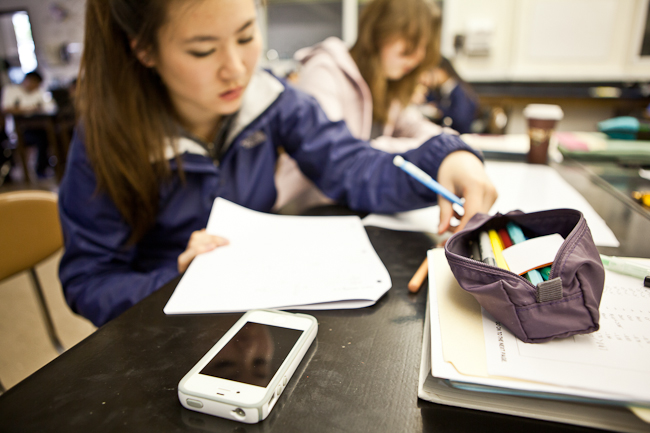
The reality is that while some teachers have found powerful ways to use mobile devices — both those owned by students and those purchased by the school — teachers at schools in very low-income areas are often battling a persistent student culture of disengagement. Many students have learning gaps that make it hard for them to stay interested in grade level materials and little desire to be in school at all.

IN FAVOR OF MOBILE DEVICES

A common refrain among teachers successfully using mobile devices in class is that there is no excuse for failing to use any and all resources to help kids learn. “You can teach a kid from every background how to use a device responsibly,” said Yolanda Wilcox-Gonzalez, a middle school history teacher at the elite Beaver Country Day Independent School.

While Wilcox-Gonzalez now works in a well-resourced, private school that gives teachers the time and training to assimilate new technologies into teaching in authentic ways, she used to teach in the Philadelphia public schools where she also grew up. She believes that if kids are coming from poverty, poor schooling earlier in life or any of the other challenges low-income children face, teachers should not withhold any resource that might help them catch up and succeed. “I think it’s really up to the comfort level of the teacher,” Wilcox-Gonzalez said. “I’ve always been comfortable with technology and with trying something new, so I’ve always been able to take kids to another level.”

Many advocates of using mobile technologies say the often cited issues of student distraction are just excuses not to try something new. Mark Giuliucci, a freshmen social studies teacher at Sanborn High School in New Hampshire, said it’s not the end of the world if a kid sends a text in class. “The way you discourage it is engage them in the activity so they don’t even think of sending a text,” Giuliucci said. “You’ve got to jump in and play their game or you’re going to lose them.”

A DIFFERENT REALITY IN THE POOREST NEIGHBORHOODS

Angela Crawford has heard all the arguments of BYOD evangelists, but doesn’t see how they match the reality of her classroom. “BYOD is very problematic in many schools, mine included, because we have a prominent engagement problem,” Crawford said. She’s an AP English teacher at BC Rain High School in Mobile, Alabama, a school where all the students are eligible for free and reduced price lunch.

“My first day on the job at this new school, my classroom door opens behind me and an adult from the street started beating a 10th grade girl,” Crawford said, in reference to a previous school.* It turned into a brawl. Crawford can’t keep track of how many of her former students have been arrested for murder, but she can point out which ones are known gang members or drug dealers. As a Title I school, BC Rain has the funds to buy lots of technology for use within school walls, but the administration doesn’t dare try a one-to-one take-home program for fear its students will become targets as they walk to and from school. Many teachers working in inner city or violent neighborhoods voiced that concern.

Crawford has found that in the high poverty communities where she has always chosen to work, there are low expectations for achievement from families and the community at large. “So many of our students are from very low achieving families, they are reading so far below grade level that behavior becomes a problem,” Crawford said.

Tactics to improve engagement like making work relevant to her students’ lives or letting them use their phones in class to look up information, haven’t worked for Crawford, although she’s tried. She was originally persuaded by the idea that allowing students to work on the devices they like so much would increase engagement, but instead she found them texting, sending Snapchats to one another and tweeting about their personal lives. It was hard to reign them back in. “I’ve tried to make it relevant and for many of them it still doesn’t matter,” Crawford said. “The reason I’ve been able to thrive in this environment is because I don’t try to do things that I know will just frustrate me and make me question why I’m unsuccessful in the classroom.”

When she first started, Crawford was enthusiastic about jumping into collaborative, project-based learning. “I thought my colleagues were monsters because of how they were teaching,” she said of a school where she previously worked and where teachers lectured all the time. She tried to teach students through projects, but found it was a disaster. To her students’ parents, her efforts to make the classroom “student-centered” looked like she wasn’t teaching. “There is a different perception of what a teacher should be in different cultures,” Crawford said. “And in the African-American community in the South the teacher is supposed to do direct instruction.”

[contextly_sidebar id=”57db50f126aa7cae31b03f2455c88b16″]

Crawford eventually gave into the parent pressure, reasoning that it was their school and their community — she was there to serve them. In the ensuing years, she has found ways to be engaging and interactive that satisfy her own requirements for good teaching, while also maintaining a strict classroom with fairly traditional teaching methods.

“What works best for each student is really the heart of student-centered learning,” Crawford said. “Sometimes what the student needs best is direct instruction. They need that authoritative, in-control figure who is directing their learning and will get them where they need to go.” Many of Crawford’s students come from homes run by single mothers who rule with an iron hand. She tries to replicate that attitude and presence. “They respond to that; they like it,” Crawford said. “It’s comforting to them.”

BUILDING A CULTURE OF TRUST

That doesn’t mean Crawford has given up all attempts to be innovative, but it takes time to build a classroom culture of respect and to teach students new ways of learning. Many of them are coming from middle schools that asked them to sit and fill out worksheets all day. “You can’t yank it from them immediately because it makes them feel insecure in an educational environment,” Crawford said. Instead she tries to slowly build up students’ confidence and trust in her so that she can do more engaging activities later in the year.

“It really depends on the teacher and on their ability to have really good classroom management and really scaffold students towards these kinds of activities,” Crawford said. She takes the opportunities when they arise. Like the time a common, everyday altercation in the hallways got written up in the local newspaper with hyperbolic language that made it sound like a war had broken out at the high school. Crawford used it as an opportunity to discuss connotation and the responsibility of journalists to accurately report facts, not rumor.

“It ended up turning into students choosing their own writing task,” Crawford said. Some wrote letters to the editor highlighting the article’s errors, while others wrote to the reporter with a more accurate introduction to their school. “Since they knew we were really going to mail these, they did work much much harder,” Crawford said. “If this is real, not just learning to take a test that’s disconnected from reality, they do care.”

Still, Crawford will not be experimenting with a bring-your-own-device program. “My problem with education innovation is we tend to want to take a new technology or a new idea and go forth with it as if it’s the silver bullet,” Crawford said. “What happens is that teachers who teach in my type of environment realize this would be a disaster in my classroom.”

A QUESTION OF PERCEPTION

Crawford is skeptical that kids in higher income areas aren’t misusing technology too. Her children attend school in a more affluent district and they tell her that kids are constantly messing around on their devices. They just switch screens when a teacher comes by. They get away with it because their teachers trust them to do their work.

“I think teachers may assume that the higher performing kids are on task because they are better at mimicking or getting by,” Crawford said. “Whereas students at lower performing schools aren’t able to pass.”

This issue of perception, or bias, pervades the school system and could explain the disparity in the Pew survey numbers. “I think kids in middle class or upper middle class schools are equally distracted as low-income students,” said Bob Lenz, director of innovation at Envision Schools, a small charter network that’s part of the deeper learning movement. “It’s just that because of the privilege of their background the content and the skills that they need to gain in school — they’re coming with a lot of those skills already– so it’s not as urgently needed.”

Ultimately, poverty and a persistent culture of low achievement that often begins in a student’s earliest school years are hard to overcome by the time he or she gets to high school. Administrators and education officials tend to focus on high school graduation rates, an important measure, but one that is affected by every year a child is in school from pre-k onwards. “I don’t think mainstream America wants to see my classroom,” Crawford said. “They are going to see some shocking things.”

*This article has been updated to reflect that the brawl did not occur at BC Rain High School, but rather at a previous school.
How BYOD Programs Can Fuel Inquiry Learning

cellphone

Launching a Bring Your Own Device program can be both exhilarating and scary. The opportunity to extend access to technology in the classroom and at home is enticing, but school districts can get hung up on important details like providing a strong network, making sure each child has a device, and questions around distraction. Of course, no one answer will work for all teachers or students, but one guiding principle that’s shown to work is for schools to focus on how mobile technology will help shift instruction to be more collaborative, learner-driven and inquiry-based.

“Instead of this just being a technology initiative, it really is an instructional initiative, so all of us from different departments can get on the same page,” said Tim Clark, coordinator of instructional technology for Forsyth County Schools in Georgia.

Forsyth started out by creating a learner profile, a set of criteria the school district wanted students to learn while in school. That profile includes: seek knowledge and understanding; think critically and solve problems; listen, communicate, and interact effectively; exhibit strong personal qualities; and engage and compete in a global environment. The profile helps guide all approaches to learning in the district.

“Kids already know how to use their devices, but they don’t know how to learn with their devices,” Clark said in an edWeb webinar. It’s the teacher’s role to help them discover how to connect to content, one another and learning with a device that they may have only used for texting and Facebook previously. “It’s about the kids being empowered in the classroom to make decisions about the ways that they are learning,” Clark said.

To achieve that level of decision making, school culture has to shift to one that encourages an on-going conversation, often filtered through devices. “Anytime I see students watching a video in the classroom I expect them to be back-channeling,” Clark said. Back-channeling is an ongoing conversation on Twitter or an app like Socrative about what students are watching. The teacher then knows how students are responding to the material and can decide how to move into the next activity.

Inquiry-based learning grounded in authentic projects go hand in hand with BYOD, Clark said. “What we are trying to do is get to transformative use of tech, where kids are doing things they wouldn’t be able to do without the tech,” Clark said. He recommends using big picture questions to frame ideas and help students identify the many smaller questions within the topic. “I expect that if I go to a student and ask them what’s the big question you are working on they’ll be able to tell me and talk about,” Clark said. “There’s not just one right answer. I want more questions to arise out of that one big question.”

[contextly_sidebar id=”cf6be023aa8fbda7bb0a18a04c75b57a”]

Asking the right questions, developing a research approach, collaboratively deciding on a grading rubric and using all the tools available to complete a project aren’t skills that necessitate the use of technology. But having many devices in the classroom throughout the inquiry process gives educators and students more opportunities, including more authentic ways to showcase student work beyond turning an assignment into a teacher.

The most important thing is to take the focus off of the final product and place it on the process of discovery. “Find ways to ask the right questions to lead students to discover the apps they need to show what they know,” Clark said. He admitted that while the goal is to use the technology to transform learning, much of the time teachers and students are actually only adapting an old task to the new medium. Often that means work can be turned in more quickly and graded more efficiently.

Clark estimates that about 10 percent of the time, Forsyth teachers are able to facilitate a transformative learning experience. “Trying to get towards transforming helps us frame the conversation with our teachers as we provide feedback about the kinds of lessons they’re planning,” Clark said.

DIGITAL CITIZENSHIP

Like many school districts, Forsyth was concerned about how its students would use the internet once they had access all the time. The district started out with a draft policy that required schools to filter internet for things like pornography and gambling, and required certain uses. Schools could then modify that draft for their own needs. But over time, most schools came to just expect responsibility because kids weren’t misusing the privilege.

“There was this respect that grew out of having BYOT and working together in the classroom,” Clark said. The policies soon shifted away from all the things students couldn’t do and became a short list of things students should do. This shift allows teachers to address issues of digital citizenship like privacy, respecting others’ work, and standing up to improper uses on a daily basis as they arise.

LEARNING ALONGSIDE STUDENTS

“At the beginning have the kids share how they already know how to use their technology,” Clark said. “Let them decide what apps they want to use to show what they know. The teacher doesn’t need to know all the technology.” He said some of his teachers only know the three to five apps that they find useful, but they allow their students to use whatever helps them achieve their learning goals.

“The teacher is not always directing everything; they have to learn how to learn alongside the students,” Clark said. “Teachers need to feel comfortable sharing that learning with the students and asking for help on the devices.” Many kids love to show off what they know and are good teachers too.

The most important ways the school can support its teachers in the transition to BYOD is to provide training on how to manage the class when devices are involved. One easy way to make it more manageable is to rearrange the classroom to allow more small group work or individual exploration.

DEVICE AND ACCESS EQUITY

According to Clark, the most powerful attribute of BYOD programs is the ability to extend learning beyond the school day. But it can only work if all kids have access to the same opportunities. Twenty percent of Forsyth students receive free and reduced lunch. The district was worried about equity, but jumped in knowing that not every student had a device and that some parents wouldn’t want to send their child to school with a device even if they owned one.

Schools in the district have found that as some kids bring personal devices, the technology in school should be more available for those who don’t bring one. Schools have a centralized location for laptops, rather than a cart or lab, so students can grab a laptop when they need it. “If they’re using that laptop in the classroom that has so much power and another kid is using a smartphone that doesn’t have quite that power or screen real estate, it requires collaboration,” Clark said.

And it allows cash-strapped schools more flexibility. “Since we’re not purchasing handheld devices we can use title funds to buy district devices,” Clark said. Schools have also asked parents to donate old smartphones that can be used on the wi-fi network without a data plan. And, in some cases, schools have bought devices for kids whose families really couldn’t afford one.

A bigger equity question remained around access to the internet. One strategy Forsyth has employed is to pull the community into the effort. Businesses with free wifi put a sticker in their windows and the district offers a directory listing of those resources. Many businesses have risen to that challenge and now even some dental offices offer free wifi, so kids know they can work online while waiting for an appointment. The district also bought Kajeet smartspots to send home with students who had no internet access in their houses.

Quick Look: How to make BYOD work for your schools

Step by step advice from those who’re integrating students’ devices. Source: Eschoolnews How to make BYOD work for your schools Ed-tech directors share their strategies for meeting challenges such as access, security “Bring your own device” (BYOD) initiatives are relatively new in education, cropping up in the last few years as schools-under tight budget constraints-seek … Continue reading Quick Look: How to make BYOD work for your schools

Privacy, Equity, and other BYOD Concerns

Erin Scott

As the Bring Your Own Device movement continues to gain momentum, allowing students to use their own devices (mobile phones, laptops, tablets) in school, administrators and educators are figuring out how to iron out concerns and issues that crop up.

One of the biggest issues educators continually bring up is equity.

“Especially at the middle school level, not having a device and needing to find a classmate to share with results in further issues (selfishness, resentment, etc.),” writes Kevin, a commenter to a recent post about Katy School District’s BYOD program. “If so, how are these issues dealt with and turned into instructional situations?”

But proponents of BYOD contend that students who have devices should not be prohibited from using them as a solution to the equity issue. Education blogger Lisa Nielsen gives the following example of a school district in Forsyth County, Georgia.

“Tim Clark, district instructional technology specialist with Forsyth County Schools (GA), explains that in his experience with BYOD, ‘Students who do not have personal technology devices have greater access to school-owned technology tools when students who bring their own devices to school are no longer competing for that access,'” Nielsen writes.

Another set of concerns, according to a CoSN report, are around potential safety and security risks. One prevailing question, for example: Who’s responsible for theft or damage to students’ devices? Different districts deal with the issue in different ways. While some educators say kids Continue reading Privacy, Equity, and other BYOD Concerns

How to Launch a Successful BYOD Program

Erin Scott

By Katrina Schwartz

As more schools start to integrate their own mobile learning strategies and Bring Your Own Device policies, one school district in a suburb of Houston has managed to come up with what appears to be a successful BYOD program.

Katy Independent School District (ISD) has a student population of 63,000 students and 56 schools – elementary, middle and high schools. There are 83 languages spoken by students in the district and 31 percent of the student population is on free or reduced lunch programs.

In 2009, Katy began a three-year plan to change instruction in the school district by promoting a standardized toolbox of web-based tools dubbed “Web 2.0.” They also set out guidelines for behavior in the digital space called “Digital Citizenship,” in the hopes that the school would not just teach kids math and reading, but also how to behave in a public digital world.

But first, the school district needed to understand the ins and outs of mobile learning. Lenny Schad, the Chief Information Officer for the district led the effort who has become the go-to guy for educators looking to implement their own mobile learning strategy has one primary piece of advice: Mobile learning is a holistic educational plan, not just introducing technology into existing structures.

“Mobile learning is all about changing instruction. Because if the instruction doesn’t change, allowing the kids to bring their own device will do nothing,” he explained in a recent EdWeb Continue reading How to Launch a Successful BYOD Program

Using Games for Learning: Practical Steps to Get Started

Joan Ganz Cooney Center

Part 19 of MindShift’s Guide to Games and Learning

By now, you’ve probably read enough to be convinced that it’s worth trying games in your classroom. You understand that games are not meant to be robot teachers, replacing the human-to-human relationship. Games are a tool that teachers can use to do their jobs more effectively and more efficiently. Games provide a different approach to developing metacognitive skills through persistent self-reflection and iteration of particular skill sets. Games offer experiential contextualized learning through virtual simulation. Games can also offer an especially engaging interdisciplinary learning space.

There are so many great reasons to include digital games among classroom activities. But the landscape of learning games is very confusing and many teachers understandably have no idea how or where to begin.

Though every educator can find her own way, here are ideas for the first four steps to getting started with digital games in the classroom.

Step 1: Assess Your Resources

What platforms do you have available in your class? Is yours a BYOD (bring your own device) classroom, or do you have school-owned hardware to work with? Will games be a full class activity or just one station in a room full of learning activities?

Hardware is one of the biggest determining factors, and it will have a significant impact on the way you use games in the classroom. Each different platform has its pros and cons, and few teachers are actually in control of the purchasing decisions. If you’re fortunate enough to make decisions about which hardware to use, a variety is nice — students shouldn’t be siloed into one platform or another. Provide them with exposure to a variety of computing devices.

[contextly_sidebar id=”6G8FaaqJcAofwK0ptGxuUijI0DnbFrHw”]

Tablets work great for lots of different reasons. Whether it’s an iPad or an Android, tablets offer a touchscreen interface and are still mostly used for entertainment, which makes them a good choice for gaming, but not necessarily for word processing. The old paradigm of one desktop PC for everything is quickly being replaced by single-use devices. Tablets have the largest selection of educational games, and at this point, the majority of developers seem to be focusing their attention there. Motion Math: Pizza!, for example, is a great tablet drill and practice app that contextualizes basic arithmetic. And Toontastic is a simple drag and drop animation and storytelling app that will get even very young kids thinking about writing their own stories.

Laptops also have their virtues. There’s no denying the convenience of a portable multi-use device with lots of processing power. There are different operating systems: Windows, Mac, Chromebook. The Windows/Mac debate has been going on for decades. It’s like arguing between a Honda and a Mercedes: both can reliably get you from point A to point B, but the Mercedes has a lot of luxury additions that make the ride smoother. If you’re willing to pay a premium for a more deluxe experience, go with a Mac. If not, the Windows laptop is sometimes a much more powerful option albeit with a bumpier ride. Chromebooks are basically web browsers; they can run any web-based software, but little else. The advantage is less technical problems and a lower price point. The sacrifice is that you can’t run a lot of popular software options. However, in the world of learning games, web-based options are more common than Windows or Mac specific options. The Chromebook, therefore, is adequate for many of the best learning games.

If you’re using Mac or Windows, Spore is a popular game that introduces students to the basics of biological adaptation. Duolingo, maker of the popular smartphone language learning app, also makes a web-based version that will work on any laptop (including Chromebooks). And Lightsail is web-based responsive literacy platform that many teachers rave about.

There are hybrid devices, too, of which the Microsoft Surface is the best example. It can function as a tablet or (with the keyboard attachment) as a full Windows laptop. Right now, most tablet game developers are not yet making Windows Tablet versions, but this will likely change in the near future. Microsoft is very dedicated to serving the education market (check out Bing for Education, a truly ad-free, completely private search engine for students).

The key point here is that before you can even begin your search, you’ll need to know how the hardware impacts your options.

Step 2: Find Games

Once you know what kind of hardware you have at your disposal, you can begin to search for games. But you probably already know from trying to find apps for your smartphone that searching the Google Play Store or the iOS App store can be overwhelming. Likewise, the Windows and Mac app stores can also be frustrating.

All of these companies have added education specific stores and/or categories, but it still feels like shopping in a department store: The big players can pay for featured placement and some of the best independent options remain buried at the bottom of pages and pages of search results. How can you get better, more even recommendations, or information about the lesser known games that are available?

MindShiftGamesOne option is to read blogs that regularly review learning games. MindShift has a long list of game reviews and descriptions. You can also read my Forbes blog, as well as columns in Edutopia, EdSurge, Edudemic, TeachThought, and Gamesandlearning.org. Still, no matter how hard bloggers try to cover everything, the game developers that can afford expensive professional public relations firms are always going to get the most coverage. Where is a teacher to go for reliable information that puts students, rather than profit, first? My first choice is Graphite, a rating site developed by Common Sense Media. (Disclosure: Graphite has a monthly app review column on MindShift that’s not related to this series, and no paid advertising.)

Graphite is a bit like Yelp — a crowd-sourced, (actually, teacher-sourced) site full of listings and ratings of educational apps and games. The site’s objective, according to Seeta Pai*, Common Sense Media’s vice president of research and digital content, is to reveal the vast amounts of games out there to educators and to “raise the bar of quality in the marketplace.” Teachers can filter Graphite ratings by platform, subject matter, and age level, looking for the right app. One of the most useful features are the editorial reviews and comments from other teachers, who comment on the practicality and effectiveness of the games and apps.

Take, for example, Slice Fractions, a short-form game that aims to teach fractions to students grades 2-5. Graphite rates it highly in all three categories: engagement, pedagogy, and support. It lists pros and cons. The review categories — What’s it like? Is it good for learning? How can teachers use it? — provide usable information written specifically for teachers. A sample teacher review includes: “visually based math app is like ‘angry birds’ for fractions,” writes one teacher from Virginia.

After you determine what kind of hardware you’ll be using, Graphite is the easiest way to search for games. The only limitation is that the site breaks down games and apps into traditional education categories. This is great, but if it’s your only source, you might miss useful but obscure ways of thinking outside the common learning paradigm. So it’s also important to keep reading the blogs for outside-the-norm ideas. Because they’re beholden to “newsworthiness,” blogs tend to cover the more innovative, or seemingly revolutionary, ed-tech.

Step 3: Play Games

After choosing a game, you have to play it. Really play it. Play it all the way through and make sure you know it intimately.

Games are not the same as textbooks or handouts. You don’t prepare in the same way. This is not about just making sure you’re familiar enough with the material that you can facilitate a discussion. Nor is it about just understanding the mechanics well enough that you can provide technical support, helping your students understand how to operate the game. Instead, preparing to assign a game is about play.

Play is exploration. It involves imagination. It means investigating the world of the game and feeling the frustration, flow, and fiero that goes along with playing it. When you engage with the game, you not only try to see the game from the perspective of your students, you also understand how the game presents the material. Before students play, teachers can introduce concepts in ways that resonate with the game. After students play, teachers can refer back to the game’s particular way of conceptualizing an idea.

The goal is not just to add games; it is to integrate learning games into existing curricula. If games are used as babysitters, simply to keep the students occupied, or superficially “engaged,” or to fill the time, the criticisms will be true: games are problematic. Nobody needs robot teachers. But when great teachers use the games to introduce and/or reinforce material, they become another extremely effective classroom project or activity. In order to do this, teachers need to play the games themselves. Or even better, when time permits, play alongside students.

Step 4: See How Others Do It

The Joan Ganz Cooney Center has a great video series about how teachers are using games in the classroom.

In this video, Joel Levin talks about the way he uses MinecraftEDU in his second grade classroom. He’s clear that it involves creating a structure with boundaries, designing activities, that provide meaningful learning experiences for the students.


[youtube http://www.youtube.com/watch?v=-mTf3j2koJA]


See how Ginger Stevens uses games for sixth grade special education at Quest to Learn School. The immersive environment that she spotlights in this video is especially interesting, it’s a reminder that game-based learning doesn’t always mean kids glued to a computer screen.


[youtube http://www.youtube.com/watch?v=YRxLMcjbpig]


Lisa Parisi describes how she uses games freely available from BrainPop in her fourth grade classroom. Note how she ties it together with project-based learning. Plus, she describes the transitions from board games to digital games.

[youtube http://www.youtube.com/watch?v=e54Vq3W8kNM]


Seventh and eighth graders learn computer science and coding in Steve Isaacs’ classroom. He uses Gamestar mechanic to teach game design. But it goes beyond the computer, his students write up game plans first and workshop the games together after they’re built.


[youtube http://www.youtube.com/watch?v=PN8o7Mv6Tlc]


Check out the entire series, Teaching With Games: Video Case Studies to get an idea of what other teachers are doing with games in the classroom.

Step 5: Find Support

Game-based learning is getting very popular, but finding support remains difficult. Most education conferences are adding games and learning tracks, or at least adding games to their ed-tech tracks. In addition, most game developers recognize that professional development is one of the biggest obstacles to adoption, and often provide video tutorials and other materials for teachers on their websites.

For more general support and resources, there are a number of websites cropping up specifically for the purpose of providing teachers with resources around ed-tech. Two sites that are specifically focused on games in the classroom are Playful Learning and Educade. Both are full of articles, videos, and other resources that can help you think of creative ways to integrate games into your teaching. For example, learn how to use the game Quandary to teach ethics. Find lesson plans for using Angry Birds as an intro to Physics. (They also have reviews that can help you choose a game).

The Joan Ganz Cooney Center at the Sesame Workshop and the Institute of Play are also good places to look for information and support. The Joan Ganz Cooney Center focuses on research and evidence around digital media and learning. The Institute of Play is focused on helping to bring a game-based mindset into our common education practices. Check out TeacherQuest for game design inspired professional development, or the MobileQuest CoLab for a two week summer camp like introduction to game-based curriculum design and ed-tech integration.

It can feel overwhelming to consider adding learning games to the classroom. But once you get started you’ll be amazed at the results. But don’t be afraid to jump right in — it’s worth the effort!

*The original version of this story incorrectly identified Seeta Pai as a vice president of Graphite. We regret the error.

One Teacher Lets Students Prove They’re Trustworthy With Devices

454139809

School administrators are looking to Bring Your Own Device (BYOD) policies as a way to bring technology resources in the community to bear in the classroom when there is little funding for classroom devices. In a recent series, MindShift has been examining how three different teachers in three completely different communities — urban, rural, and immigrant — are dealing with BYOD issues, including trust, equity, and what happens when teachers try to put student-centered learning in the hands of students who’ve never experienced it.

Meet a teacher who’s ready to shift responsibility to her students: (Read Part 1: Trust, Equity, and Student-Centered Learning With Fourth-Graders, and Part 2: Access to Technology For Immigrant Students)

Part 3: Mutual Trust Helps BYOD Work

Marionville High School only has 200 students, but more than half of them qualify for free and reduced-price lunch. This rural community in southwest Missouri has several teachers who are fairly traditional and have little interest in integrating technology, a few early adopters and a supportive principal that wants to see new solutions to help students graduate ready for college or work.

“I wanted to make my classroom mobile device friendly because that’s where kids are, especially in high school,” said Amy Walker, a Spanish teacher who is studying for a masters’ degree in education that focuses on effective ways to use technology. Despite her openness to Bring Your Own Device policies (BYOD), Walker’s students can’t access the internet with their phones because the wireless system can’t handle the load. They can only go online with school-issued tablets or computers.

The school’s policy around personal devices and cell phones in the classroom is evolving. Walker says a few years ago cell phone use in class was getting out of control so the school banned them entirely. Now, the administration is starting to ease that policy, allowing phones in school, but only if they are face down on students’ desks. Walker is pushing back against that rule, allowing students to use phones all the time in her class with the hope the technology can help her bridge the gap between kids lives in and outside the classroom.

[contextly_sidebar id=”OCz7lIkiJpW9BHYQpgd3IMhtXzYqODUf”]

She’s found some success by giving students a chance to prove they can be responsible and relying on mutual trust to maintain classroom order. She knows that teenagers are bound to mess up sometimes, that’s part of their developmental process. “As long as you are learning from your mistakes it’s all good in my book,” Walker said. She does have some students who aren’t as mature about device use or completing assignments independently. She works more diligently to keep those few engaged and supported.

As a Spanish teacher, Walker doesn’t have to worry about high stakes tests the way English or Math teachers do. She’s under less institutional pressure and has more freedom to create a classroom culture that’s comfortable for students. That starts with the classroom design; there are couches in her room and students are rarely found sitting at desks. She also assigns lots of online, creative and collaborative work. “By giving them more online assignments I’m free to meet with students individually,” Walker said. “I know who needs help and who’s being more responsible.”

She also makes it clear that kids start with a blank slate when they enter her class on the first day; they each have the opportunity to prove to her they can handle the independence and freedom she’s offering. “I think that we as a population, not just educators, do a poor job of looking past bias,” Walker said. “In the teaching world, you hear from the eighth-grade teacher about how terrible the kids are and so it’s already predetermined that we’re going to have problems.”

Walker is trying to change that bias in her classroom. “I’m not going to form an opinion about you based on what someone else said,” she said. “It has to do with mutual respect, I think.” That respect is what allows Walker to give students open-ended learning opportunities, which they don’t always appreciate. “The first couple times they really struggled with it because they wanted me to tell them what to do,” Walker said.  “Now they like it. We just kept doing it and eventually they realized that it wasn’t going away.”

Amy Walker teaches high school spanish in Missouri. (Courtesy of Amy Walker)
Amy Walker teaches high school Spanish in Missouri. (Courtesy of Amy Walker)

Walker has been mentoring less confident teachers in more collaborative approaches to good success. She helped a veteran, but traditional teacher implement a creative project on Sophia Learning, encouraging her to co-create the rubric alongside her students. “Students who don’t normally engage were very engaged because they got to work on something that was meaningful to them on a medium they like,” Walker said.

Because Spanish isn’t a mandated topic in Missouri, Walker has more freedom than other teachers. She’s sympathetic to teachers who are having trouble getting started with technology in the classroom, but ultimately believes everyone needs to take the plunge.

“Be willing to take a chance and change it up slowly,” Walker said. “Try it and understand that it may work and it may not work. But if you don’t try you won’t make any progress.” She’s also found that staying connected to other inspiring educators is a huge motivator to continue when there are stumbling blocks. “Collaborate with someone who is having positive results in their classroom, whether that’s through social media or another teacher in the building,” Walker said.

Walker has had success with devices in the classroom because she’s excited about making it work, doesn’t feel the same pressures to produce test scores as other teachers and truly believes kids can learn a lot from leveraging technology in the classroom. All those qualities make her an active teacher, fired up about what she’s doing, and that shows through. She says her students are willing to work hard in her class because they see she is doing the same. It’s that mutual respect that has given her good classroom control and that makes BYOD work smoothly.


Access to Technology for Immigrant Students

6999459456_38f532a9b2_z

School administrators are looking to Bring Your Own Device (BYOD) policies as a way to bring technology resources in the community to bear in the classroom when there is little funding for school-owned devices. We are examining how three different teachers in three completely different communities — urban, rural, and immigrant — are dealing with BYOD issues, including trust, equity, and what happens when teachers try to put student-centered learning in the hands of students who’ve never experienced it.

The advantage of BYOD has always been flexibility — educators don’t have to wait until a school board approves funds for mobile technology, rolls out a policy and implements a training program. Instead, teachers began experimenting with technology to engage learners and allow them to have more ownership over their learning. Using student-owned devices has the added benefit of helping students to see their phones as learning tools that can be used for research at home. And while not all kids own smartphones or tablets to access the internet outside of school, many do.

School districts that can afford it are opting to issue school-owned devices to students that stay at school. But the drawback to these types of one-to-one programs is that they don’t allow for anytime/anywhere learning. Other schools are combining BYOD with school devices as a way to help mitigate equity gaps.

In this article, we learn how a ninth-grade teacher handles BYOD issues with a mostly immigrant population.

(Read Part 1: Trust, Equity, and Student-Centered Learning With Fourth-Graders.)

PART 2: BYOD AND IMMIGRANT STUDENTS

At Washington Technology Magnet School  in St. Paul Minnesota, many students are recent immigrants from Burma, Bhutan, and East African countries like Somalia and Ethiopia. There’s also a sizable Hmong population. The school’s diverse student population represents a shift experienced in schools across the country towards more immigrant children and English Language Learners.

In Stephanie Erickson’s ninth-grade Life Science class, students speak four or five different languages and have different levels of access to technology. Many newer immigrants have no phones at all. Other low-income students have devices, but not access to the internet at home. “It needs to be school-provided because they don’t have them and they can’t get them,” Erickson said.

The official school policy on BYOD allows students to use personal devices to aid learning, but it hasn’t become a huge part of instruction because only some students have them. A few students use their phones to take pictures of notes or to use flashcard apps, but most of the technology in the classroom is school-issued. The leadership at Washington Tech is supportive of teachers trying to integrate student-owned devices, even sending along articles and ideas to the whole staff, but Erickson has been hesitant to embrace that freedom because of concerns that not all her students will be able to participate.

Equitable access to devices comes up a lot in discussions of BYOD, but teachers committed to making technology work for them in the classroom often find learning can be just as powerful without one-to-one programs. In a MindShift article from several years ago, sixth grade teacher Bill Ferriter noted that teachers are always dealing with a deficit of resources, but that shouldn’t prevent change. “If I can have kids work in groups of three—something that I do 9 days out of 10 anyway–then I really only need one student to have a cell phone with unlimited texting,” Ferriter writes. “The odds of that are pretty high in most middle schools. From there, groups can do anything.”

Erickson isn’t entirely sure how many kids have devices, but she knows that only 30 percent of her 150 students use Remind, an app that lets teachers text students reminders en masse. The wide range of experience with technology has made Erickson wary of making devices central to her teaching. She did an informal survey with her students after trying to flip a lesson, asking students to watch a video at home so class time could be devoted to discussion and real-world problems. She found that 95 percent of her students liked the flip model, but only 50 percent could watch videos at home.

[contextly_sidebar id=”j14zEk1mjQz5znbmkh0MQxsjDrUvPMkl”]

Still, she’s found some value in her experiments. “I think a major shift I’ve made is that everyday, the kids get immediate feedback,” Erickson said. She uses clicker apps to ascertain whether students are following and understanding the lesson, for example. But she hasn’t been able to turn control over to students so they can have more input into how they will learn.

“My concern — and maybe it’s just a fear rather than a real thing — is my English Language Learners who have only been here one or two years,” Erickson said. “I think they wouldn’t know where to start.” Students have trouble designing their own science experiments and Erickson doesn’t want to saddle them with the responsibility of directing their own learning when they’re adjusting to a new language and school system at the same time.

“They don’t have the academic language yet to show any critical thinking because that’s where they’re at in their language development,” Erickson said. “To do student-centered, you need to do some critical thinking and show it.” This is a common dilemma for teachers who don’t speak the same first language as their students. But educators at schools in the Internationals Network would disagree with Erickson’s hesitation to ask students to demonstrate critical thinking skills for fear their grasp of the language isn’t strong enough.

“You don’t have to know how to read and write to think deeply,” said Claire Sylvan, founding executive director of the Internationals Network during a Deeper Learning MOOC. Instead, she suggests engaging students with complex thinking on projects that use both English and a student’s’ native language. “Provide them with on-ramps that allow them to develop literacy in the environment that they now inhabit,” she said. The pedagogy behind the Internationals Network focuses on helping students develop literacy and critical thinking skills simultaneously by giving them more freedom to explore their interests in school.

While Erickson hasn’t seen how BYOD or even school-provided iPads have helped to engender student-centered learning, or put learning in the hands of students, she has used school-issued devices to help differentiate learning for the wide variety of learners in her classroom. She gives students extra research options so they can delve more deeply into lab work, and takes time to process what they’ve learned with her later. One day a week she has an intervention day, asking students to review topics they find difficult through video and discussion.

Meanwhile, her school is moving towards an approach that favors technology in the classroom. The goal is to have a Chromebook cart in every classroom to help make sure students have the tools to work at their own pace. In this vision, students would get individualized homework, based on where they are in the course. Erickson says the IT team needs to do significant upgrades to the wireless system before the vision can be implemented.

“My dream is that the kids grab a device and they’re on right away,” Erickson said. “There’s no logging in and no delay because of the wifi. The kids can get what they need to learn for that day. They get the slides and what’s going to be projected. They get some sort of way to get formative assessment with teacher feedback, and if it’s more of an intervention lesson, the kids know exactly what they need to do that day.”

That dream is within sight, but Erickson’s frustration with the technical performance of devices in the classroom have kept her from embracing it wholeheartedly.

Starting From Scratch: A Public School Built on Dreams of Students and Parents

Getty
Getty

District public schools have a bad reputation for being static and slow to change. But a public school district near San Diego is proving that collaboration between motivated teachers, engaged parents ready for a change and progressive leaders can lead to a dramatically different way of approaching public education.

DESIGNING A SCHOOL OF THE FUTURE

Poway Unified School District’s student population is steadily growing as families move into new housing developments popping up nearby. The boom has created a unique opportunity for the district to open a school showcasing innovative thinking and practice. “We thought, this gives us a chance to open a school where people can select,” said John Collins, superintendent of Poway Unified School District. “It will be nobody’s home school; it will be a school people can apply to.”

All last year five teachers and two administrators researched school models, drew on business practices and used design thinking principles to combine the most inspiring practices into a new school. They even brought their ideas before the community several times to get feedback.

“The really unique thing about the school is the fact that it really involved parents, asking them to help design what the school would be like,” Collins said. Community members were excited to discuss the principles of a strong learning experience and supportive of the effort to create a model and a school building that reflect those values.

“They wanted students to really like and enjoy school,” said Megan Power, one of the five teachers who designed the school. They wanted school to be a place where students could explore their passions and fall in love with learning. Things like specific content areas and test scores rarely came up. “Once we gave parents a voice — the chance to talk about what they wanted out of school — they just took off with it.” Power said. “It really opened up that there were other possibilities.”

The team also asked students what they wanted out of school. “They wanted a lot of projects,” Power said. “They wanted meaningful, purposeful work. They didn’t want to be limited. And if they needed help they didn’t want to feel like they weren’t as good as other children.”

Taking all this feedback into account, along with their research, the Design 39 Campus team created a school that will be physically very different from other schools in their district and run on a unique schedule. The preK-8 school opens on Aug. 20 with 858 students through sixth grade. More than double that number applied. Over the next four to five years the school will grow into seventh and eighth grades and plans to eventually serve 1,400 students.

WHAT WILL IT LOOK LIKE?

The school will be split into age pods: pre-kindergarten through first grade together, second and third grade grouped, fourth, fifth and sixth together and seventh and eighth grade in a pod. Several teachers will be responsible for each pod, each with an area of expertise, but not limited to teaching only that subject. Pods share common spaces designed to fit whatever learning is taking place at that time. They each have a “makery,” a space with a concrete floor that can get messy and is filled with fun materials like clay, woodworking tools and electronics. Pods will also have a “collaboratory,” an open space designed for group work.

Despite the non-traditional setup, students will still have a standard homeroom teacher who follows them as they move from grade to grade. “The main goal of homeroom time is relationship-building, checking in with students, seeing how things are going,” Power said. Homeroom will be by grade level, but after that initial check-in at the start of the day students will be grouped in various ways within their pod — sometimes by interest, other times by ability.

A TYPICAL SCHOOL DAY

The school day at Design 39 Campus starts with an hour of teacher collaboration before students arrive. Increasingly, schools are recognizing that teachers learn best from colleagues and that preparation time needs to be built into their schedules. The founders of Design 39 Campus find this especially important because teachers at the school work together closely to facilitate a large group of students who each may be working on different things each day.

For the next several hours students will break into pods and have what Power calls “integrated learning time.” That could mean putting students to work on an in-depth project that extends through the whole time. Teachers can pull small groups to work on specific skills in a more focused way, or help guide students through their projects. “The morning is going to vary, depending on the needs of the students and what the pod is working on,” Power said.

[contextly_sidebar id=”gLjc0S1eR7oUBs21lLfJy4rXfaIF0T7K”]

An animal project Power did with kindergartners at her old school demonstrates the way she is thinking about this time. Students selected and researched an endangered animal. Then they wrote public service announcements, often backed with music to try and convince other students to take action to save their animals. Students then made a pitch to the whole school on behalf of their chosen animal; the student body voted on the most effective PSA.

The class then decided to raise money for the winning animal — the Javan rhino — to donate to the World Wildlife Fund. Students decided to make and sell trail mix: they researched recipes, measured quantities, bagged their product and made a marketing plan. “We learned money through them selling the trail mix,” Power said.

Students even drafted a letter to the Wildlife Fund suggesting how the money could best be used to protect Javan rhinos, based on their research. Power says students liked the project because it was based in the real world, had purpose and engaged them about something for which they cared deeply. It also demonstrates the approach the school will be taking toward technology. “We were using our devices all the time, but it was just a piece of the project,” Power said.

The school is embracing the Bring Your Own Device (BYOD) movement — easier to do in a district with only around 14 percent of its students on free and reduced lunch — but will also have devices that students who don’t own any can use for the whole year, at home and at school. Power emphasized technology use isn’t about the software or apps for this school; it’s about offering students up-to-date learning tools. “You can show your learning through creating a video, or a cartoon, or creating a physical poster,” Power said. It’s up to the student.

At lunchtime all students from a grade level will have the break together. The team made this decision based on an IDEO study finding that lunch is an important social touchstone for students to hang out with their friends. Even though there will be two pods of each grade span, they’ll get to meet up for lunch.

The afternoon is what Power calls “deep dive time.” These are project that could last three, six or 12 weeks depending on the age group. “The idea is coming from the students and we form the course around the students,” Power said. This time might be spent on an independent study project or, if several students are interested in the same topic, they might all work together. The idea is to give students a chance to really dig into something they love.

Power expects at the beginning younger students might need help identifying their passions, so staff are prepared to expose them to lots of different ideas including videomaking, cartooning, even engineering. This time will also give students the opportunity to explore interests like music and art that have disappeared from many public schools.

To help students identify their passion areas, the last hour of the day will be all about exposure to different topics. Then, if a student finds something he loves, he can explore it in detail during the deep dive time. This hour of the day alternates with the Design 39 Campus version of physical education.

Called “Minds in Motion,” PE at this school sounds chaotic. More than a dozen teachers will conduct an array of activities from scooter hockey to cross-country running, yoga to competitive games. “We really want to give them a chance to have fun with being active, leading a healthy lifestyle,” Power said. When designing the school day, Power and her co-founders were careful to put PE at the end of the day in response to student feedback that they hated having a rotating period that sometimes fell in the morning. No student wants to sit all day feeling sweaty and stinky.

ORGANIZATIONAL HELP

All this self-directed, project-based learning might seem chaotic to teachers used to covering a specific set of standards in one topic area or grade level. Despite the bells and whistles of a new school, Design 39 Campus will have to prove itself on the same tests as other California public schools and will need to make sure it is covering the skills laid out in the Common Core State Standards.

Rendering of Design 39 Campus/PUSD

To help teachers and parents track how well students are mastering these skills, the school’s team is working with the Norwegian ed-tech company, itslearning, to track and manage student data. The company had some of the features the school wanted, but more importantly its staff was excited to work with the founding teachers to create customized software that fit their quasi-competency-based model.

Skills will be displayed on progress bars and teachers can customize the standards to fit the projects they’ve assigned. For example, if a project requires collaboration and communication, there could be progress bars for those skills under a project, based on grade level. It’s like a fully customizable map of skills, where teachers have control over what is measured and how, but the software keeps an easy-to-read record of what teachers input that parents, students and teachers can easily access.

SCHOOL LEADERSHIP

Design 39 Campus has a uniquely flat leadership model. Most decisions are made by teachers at the pod level, and while there is one person on the founding team with principal credentials, the staff doesn’t call her that. They don’t actually have a name for her yet.

“She’s the one who’s out there keeping the school moving in a forward way,” Power said. But teachers can all make purchasing decisions, and each pod decides what professional development it needs and how it should be delivered.

“We’re trying to give them the most power for decision-making,” Power said. Some things that will be emphasized are self-reflection, sharing learnings with the whole school and positive observation with an eye toward improvement. The school also has a governing board made up of district teachers, community members and students. The board evaluates and gives advice on long term ideas.

DISTRICT SUPPORT

“The hope is that with the success of this school, not only our parents but our teachers will be demanding this, too,” said Superintendent Collins, who fully supports the new school. He understands that change can be hard for both communities and teachers, but hopes some of the ideas being tried at Design 39 Campus will penetrate other schools, too.

[youtube //www.youtube-nocookie.com/embed/w9xeg_I7LbE]

“It’s a little harder to make those changes in high school because the need to conform to what universities and colleges want is there,” Collins said. But the new school is next to the high school and plans to use high school students as teaching assistants. Both Power and Collins said some ideas might start to penetrate the high school through proximity, and Common Core is demanding more in-depth study of topics anyway.

“We see a responsibility to offer multiple pathways for kids,” Collins said. He wants high schools to have more specialized programs that incorporate more real-life experience, like internships.

One reason Poway has been able to take such an innovative approach to building a new district school is its positive relationship with the teachers association. “They’re willing to take this leap with us and try something new and different, so we’re not hampered by having to argue with the teachers union about it looking and maybe being different for teachers,” Collins said.

He attributes this to a 10-year  transition the district has been making toward interest-based negotiating. Instead of focusing on their positions, both management and union leadership focus on their interests. “We realized we had the same interests,” Collins said. “When you realize you have common, shared interests it makes it easier to try new and different things together.”

The transformation didn’t happen overnight and it took awhile to use the model for really sticky issues like salaries and health benefits, but over time the district and union leadership have built up a shared trust that has allowed them to push the envelope on teaching practices.

WHAT WILL SUCCESS LOOK LIKE?

“It will look like a campus where every child is engaged and where every student can express to you what they’re doing, owning their own learning, and their own goals,” Collins said. He’s hoping that ownership of learning will translate to good scores on the new Smarter Balanced Assessments California is using, but he said the district is also developing its own tools to measure things like engagement and college and career readiness skills like collaboration and critical thinking.

“We’re getting rid of students sitting there feeling like learning is happening to them,” Power said. “We’re moving to really meaningful learning where students are asking the questions and care about their learning and their progress, even as young as 4 years old.” Success will also be measured by how many ideas are taken up in other district schools and whether parents continue to apply for limited spots.

Trust, Equity, and Student-Centered Learning With Fourth-Graders

computing
Tom Woodward/Flickr

School administrators are looking to Bring Your Own Device (BYOD) policies as a way to bring technology resources in the community to bear in the classroom when there is little funding for classroom devices. We will examine how three different teachers in three completely different communities — urban, rural, and immigrant — are dealing with BYOD issues, including trust, equity, and what happens when teachers try to put student-centered learning in the hands of students who’ve never experienced it.

The advantage of BYOD has always been flexibility — educators don’t have to wait until a school board approves funds for mobile technology, rolls out a policy and implements a training program. Instead, teachers began experimenting with technology to engage learners and allow them to have more ownership over their learning. Using student-owned devices has the added benefit of helping students to see their phones as learning tools that can be used for research at home. And while not all kids own smartphones or tablets to access the internet outside of school, many do.

School districts that can afford it are opting to issue school-owned devices to students that stay at school. But the drawback to these types of one-to-one programs is that they don’t allow for anytime/anywhere learning. Other schools are combining BYOD with school devices as a way to help mitigate equity gaps.

This article focuses on a fourth grade teacher’s use of BYOD to give her students the freedom to work at their own pace, with her guidance.

Part One: DIFFERENTIATING — BUT NOT TOTALLY TRANSFORMING

Alisca Harris, a fourth-grade teacher at Craighead Elementary in Mobile, Alabama, has had to try different tactics before finding what sticks. Craighead has a predominantly African-American population and 95 percent of its students are eligible for free and reduced lunch. Harris has been steadily trying to integrate devices into her teaching practice, while being aware that kids and their families have different comfort levels with technology.

Parents were receptive to letting their children bring tablets from home, but don’t always understand the nature of the digital work. “Parents just wanted to see it in black and white,” Harris said, “because some of my students are being raised by grandparents and they really didn’t know what these digital assignments were.” Some grandparents didn’t believe their students were doing their reading on their devices. To strike a balance, Harris does paper and pencil creative projects, along with digital ones. She also sends all information home in various formats so everyone feels informed.

Harris has found that student-owned tablets — cell phones aren’t allowed by the district in elementary school — are most helpful for increasing engagement, allowing students opportunities for creative expression and for giving her more information about when students understand a concept and when they’re struggling. Even though she teaches fourth grade, some students are reading at a second-grade level, while others are charging ahead to seventh-grade content. The devices help bridge the broad gap.

“[Students] can use the device to do research, they can move at their own pace, they’re not waiting on the slower ones,” Harris said.

[contextly_sidebar id=”JgXJjTnpApJcyvc6rCxddoXM6mfFtnTS”]

Harris’ school uses an adaptive software called Stride Academy for reading, math and science. “They all like the sounds and animation,” Harris said. “They loved that because it was customized to them, no one else knew what they were doing.” Harris receives weekly updates on each student’s progress in the program, including whether they’re just guessing, have clearly not understood concepts or if they’re surpassing expectations. She can tailor her instruction to provide support to students who struggle and help the advanced students continue to challenge themselves.

For example, a few of Harris’ fourth graders leveled up to reading Harry Potter. To those who wanted to remember each of the plot twists and turns, Harris showed them how to use sticky note apps to keep notes. And though they could follow most of the story, there were often vocabulary words that they had trouble with. “It brought on a lot of dialogue,” Harris said. Together Harris and her students would discuss the meaning of words in context and how it impacted their understanding of the plot and context.

“That’s a lot better than taking a fourth grade book because they’re in the fourth grade and not challenging themselves,” Harris said.

BLOCKING SITES

Still, the strict web filters favored by the school district in elementary schools have hindered those same precocious students from directing their own learning in many cases.

One day Harris noticed that a student was frowning at his screen. Thinking he was confused about a concept, she went over to help him. Instead, she found that he was frowning because the filter was blocking him from accessing a book he wanted to check out from the library. “He was trying to access his own books from the library and his personal library card number wouldn’t work,” Harris said. “Only the school’s would, and they’re only allowed to check out certain books.”

Harris admits that sometimes a book will be banned based on a very cursory search of keywords, but she thinks it’s a fair price to pay to protect younger kids from seeing inappropriate content – things they’re just not ready for.

“It’s a good thing they have a very strong block,” Harris said. “I trust them, but then I have to keep in mind that they are fourth graders. They’re children and they’re going to try to do things and they’re going to get off task as any child would do.” She knows they’ve already caught onto the trick of switching screens when a teacher isn’t looking.

Harris helped pioneer BYOD at her school, but she approves of the strict filters her school sets on the web, even though they can block her from useful sites. “Our children, the environment they’re in, it teaches them more than they should know at that age,” Harris said. Many of her students have older brothers and sisters who teach their younger siblings inappropriate language or ideas. For example, a new drug “spice” has become popular in the neighborhoods where her students live. One student wanted to look it up on the internet, but Harris worried photos and descriptions of the drug’s effects on the body would be too much for him.

“If I was a high school teacher, I wouldn’t use the devices for apps, I would only use it for clicking a response or to look up something on a specific topic,” Harris said.

She knows students can easily maneuver around filters and doesn’t necessarily trust them to use their devices responsibly.